

Share the work with your team and stay alerted
When more than one person works in your account, assigning work shows who is following each conversation and ticket, and email alerts make sure your team does not miss a new request without having to watch the portal all day.
Assign a conversation to a teammate
Section titled “Assign a conversation to a teammate”-
Open the conversation from Conversations.
-
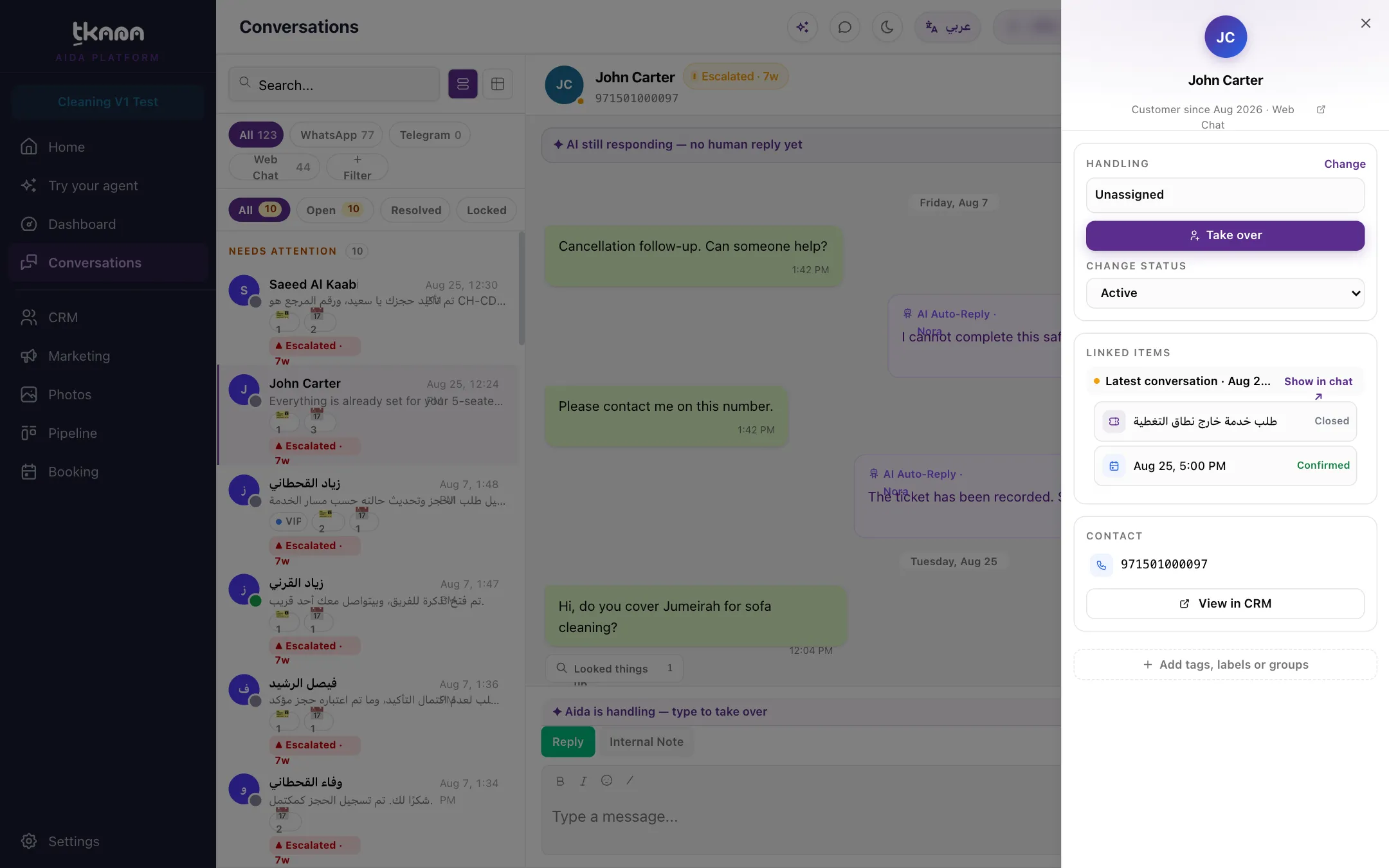
Click Details (the arrow button in the conversation header).
-
In the Handling card, click Change.
-
Pick your teammate under Assign to team member.
The AI stops replying on a conversation assigned to a teammate, and the teammate gets an email telling them the customer’s conversation was assigned to them. To give the conversation back to your agent, pick your agent under Assign to AI. To take it yourself, click Take over. See Reply to a customer and hand the conversation back to the AI.
To see the conversations assigned to a specific person, use the Assignee filter on the Conversations page.
Assign a ticket to a teammate
Section titled “Assign a ticket to a teammate”Open the ticket from the Pipeline page and pick your teammate from the Assignee list in the details panel. When a teammate moves an unassigned ticket to another stage on the board, it is assigned to them automatically. Use the Assignee filter to see each person’s tickets. See Work tickets on the board and table.
The alerts your team receives
Section titled “The alerts your team receives”All team alerts are sent by email today:
| When | To | Where you set it |
|---|---|---|
| A conversation is assigned to a member | The assigned member | Sent automatically. |
| A new ticket | The Support team email address | Support tickets skill settings in Settings > Skills. |
| A new or cancelled booking | The Staff notification email address | The booking skill’s settings in Settings > Skills. |
| Other events you choose | The address you enter | Settings > Notifications with Add custom automation. |
Related
Section titled “Related”Was this article helpful?
Thanks for the feedback, it helps us improve these guides.