

Understand automated messages
Automated messages tell a customer what happened without anyone on your team typing: their booking is confirmed, a reminder 2 hours before the appointment (by default), their request was received and later resolved. Some also email your team, for example when a new booking or ticket comes in. They come ready-made with your skills, in Arabic and English, and each customer gets them in their own language.
Which skills send automated messages
Section titled “Which skills send automated messages”| Skill | What your customers and team receive |
|---|---|
| Book appointments | Booking confirmed, rescheduled, cancelled, and a reminder 2 hours before the appointment (by default), plus emails to your team about new and cancelled bookings. See Booking notifications and reminders. |
| Support tickets | Ticket received and ticket resolved, plus an email to your team for each new ticket. See Ticket notifications for your customers and team. |
| Lead Qualification | An onboarding message to the customer when their lead ticket is closed. |
| Salla notifications | Order, shipping, payment, and cart messages for Salla stores. See tkana for Salla stores. |
You get the messages by installing the skill. See Install a skill from the gallery.
Why WhatsApp messages need Meta’s approval
Section titled “Why WhatsApp messages need Meta’s approval”An automated message usually reaches the customer outside the 24-hour window, so WhatsApp only accepts it as an approved template. When you connect your WhatsApp number, tkana submits the ready-made templates of your installed skills to Meta for you, one in Arabic and one in English. Meta usually approves them within minutes, and it can take up to 24 hours. Email messages need no approval. See Ready-made templates that come with skills.
Which language the customer gets
Section titled “Which language the customer gets”Each message exists in Arabic and English. tkana sends the version that matches the customer’s language, so a customer who writes to you in Arabic receives the Arabic message.
When a message is not sent
Section titled “When a message is not sent”tkana never sends an incomplete or unapproved message. It skips the message instead when:
- WhatsApp has not approved the template yet, or no WhatsApp number is connected.
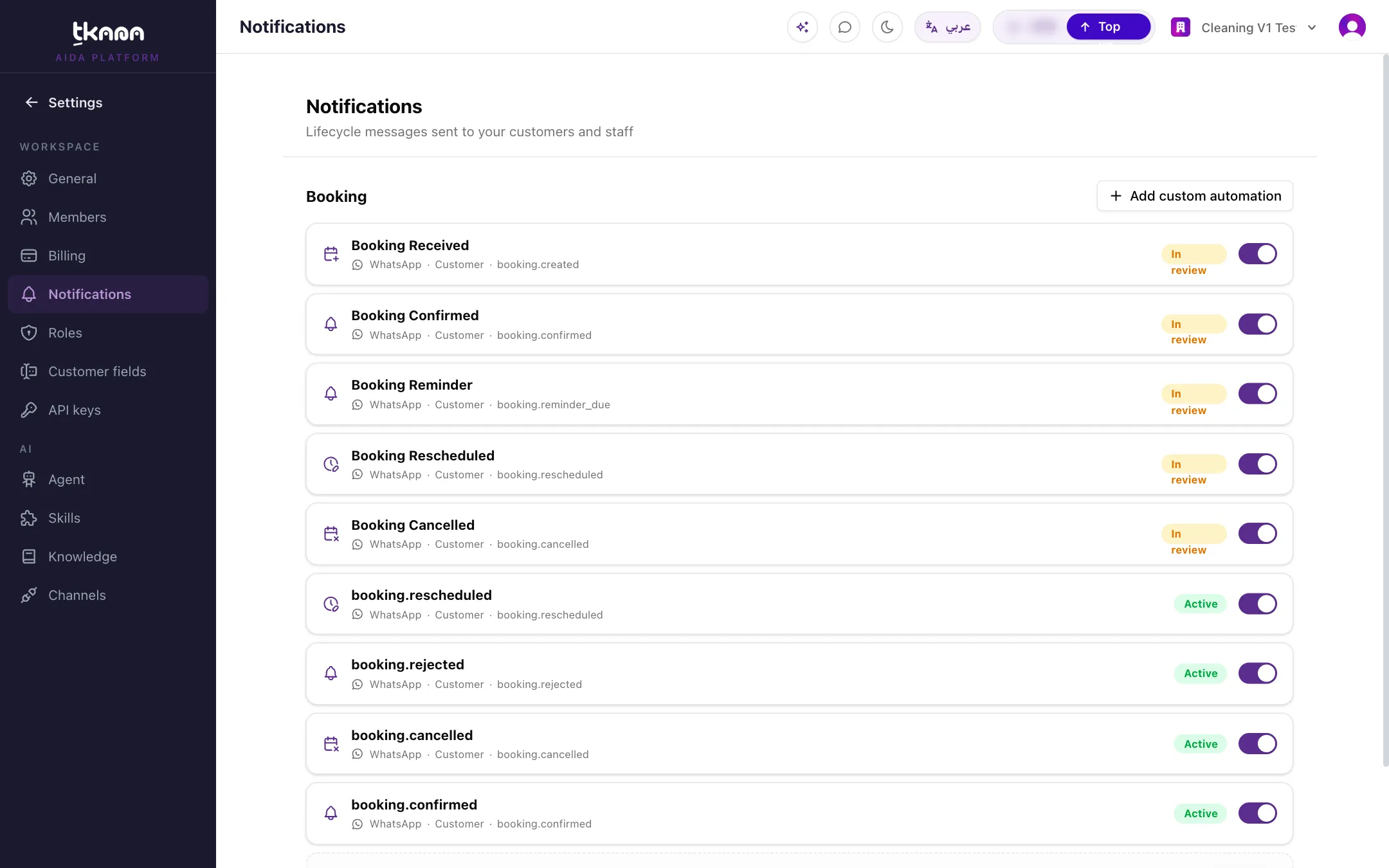
- The message is switched off in Settings > Notifications.
- The customer has no mobile number on their profile, for example an anonymous chat widget visitor.
- One of the details in the message, such as the booking time, cannot be filled.
- It is a Marketing message and the customer has opted out of marketing messages. See How customers opt out of marketing messages.
Turn messages on or off and change their wording
Section titled “Turn messages on or off and change their wording”You manage every automated message in Settings > Notifications: switch a message on or off, reword it in Arabic and English, see whether Meta approved it, and add simple messages of your own on booking and ticket events. See Notification settings explained.
Related
Section titled “Related”Was this article helpful?
Thanks for the feedback, it helps us improve these guides.