

How tkana works
tkana is an AI customer-engagement platform for businesses that talk to their customers on WhatsApp and the web. You connect your channels, and your AI agent answers your customers around the clock: it answers questions from your knowledge base, opens support tickets, books appointments, qualifies leads, and hands the conversation to a person when it matters. Your team works from one inbox in the tkana portal, and you see what customers ask about on a dashboard.
Who uses tkana
Section titled “Who uses tkana”| Who | What they do |
|---|---|
| You, the business owner | Set up the account and the agent, connect channels, invite the team, and follow results on the dashboard. |
| Your team | Read conversations, step in to reply, and work on tickets, bookings, and customer records. |
| Your customers | Chat with your agent on WhatsApp, the chat widget on your website, your chat page, or Telegram. They talk to your business, not to tkana. |
What your agent is made of
Section titled “What your agent is made of”Your agent is built from a few parts, and you control most of them from the portal:
- Identity: its name, greeting message, tone, and working hours. See Set your agent’s name, greeting, and tone.
- Knowledge: what it knows about your business: a description, FAQs, guidelines, and documents such as price lists. See Understand your knowledge base.
- Skills: ready-made abilities such as support tickets, booking, or lead qualification. See Understand skills.
- Channels: where it talks to customers, such as WhatsApp and the chat widget.
What happens when a customer writes
Section titled “What happens when a customer writes”- A customer sends a message on WhatsApp, the chat widget, your chat page, or Telegram.
- tkana recognizes the customer, creates their record if they are new, and opens the conversation (or reopens a recent one).
- Your agent reads your knowledge and skills and replies in the customer’s language. When a skill applies, it acts: it opens a ticket, books a slot, updates the customer’s details, or escalates to your team.
- The reply goes back on the same channel the customer used.
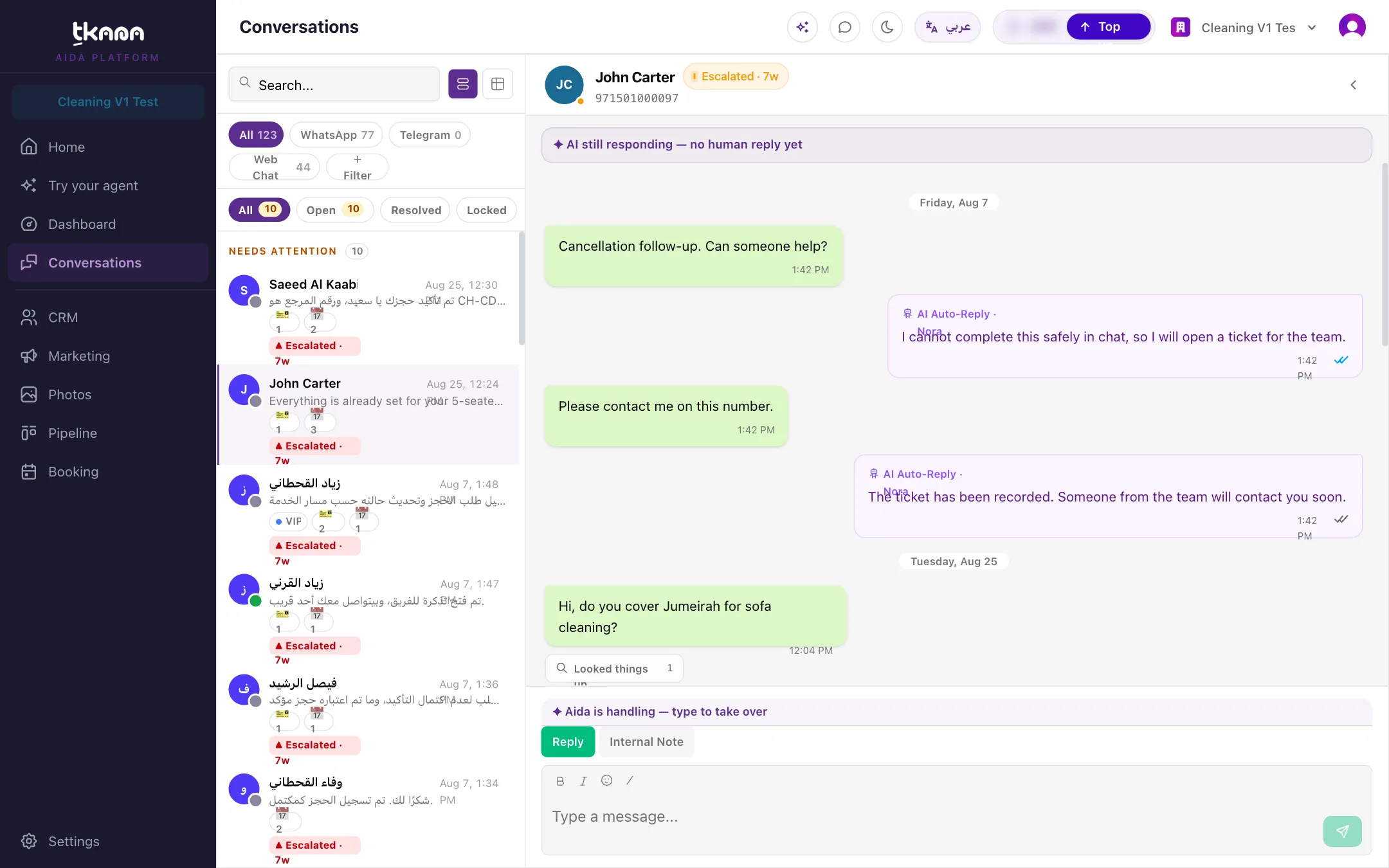
- Your team sees the conversation on the Conversations page and can step in at any time. While a person is handling it, the agent stays quiet.
- When the conversation goes quiet, it is resolved automatically with a short summary, and the dashboard counts it.
Where to go next
Section titled “Where to go next”Was this article helpful?
Thanks for the feedback, it helps us improve these guides.
Need more help?