

Write your content, FAQs, and guidelines
Three tabs in your knowledge base hold text you write yourself: Content, FAQs, and Additional Guidelines. Your agent reads all three with every message, so they are the best place for the essentials and for anything that must be answered exactly right.
To open them, go to Settings, then under AI click Knowledge.
Describe your business in Content
Section titled “Describe your business in Content”The Content tab is a free-text page about your business.
- Open the Content tab.
- In Knowledge Base Content, write what a new customer should know: what you do, who you serve, where you are, your opening hours, and how to reach you.
- Add any links your agent should share, such as your booking page, location map, or menu.
- Click Save.
Add FAQs
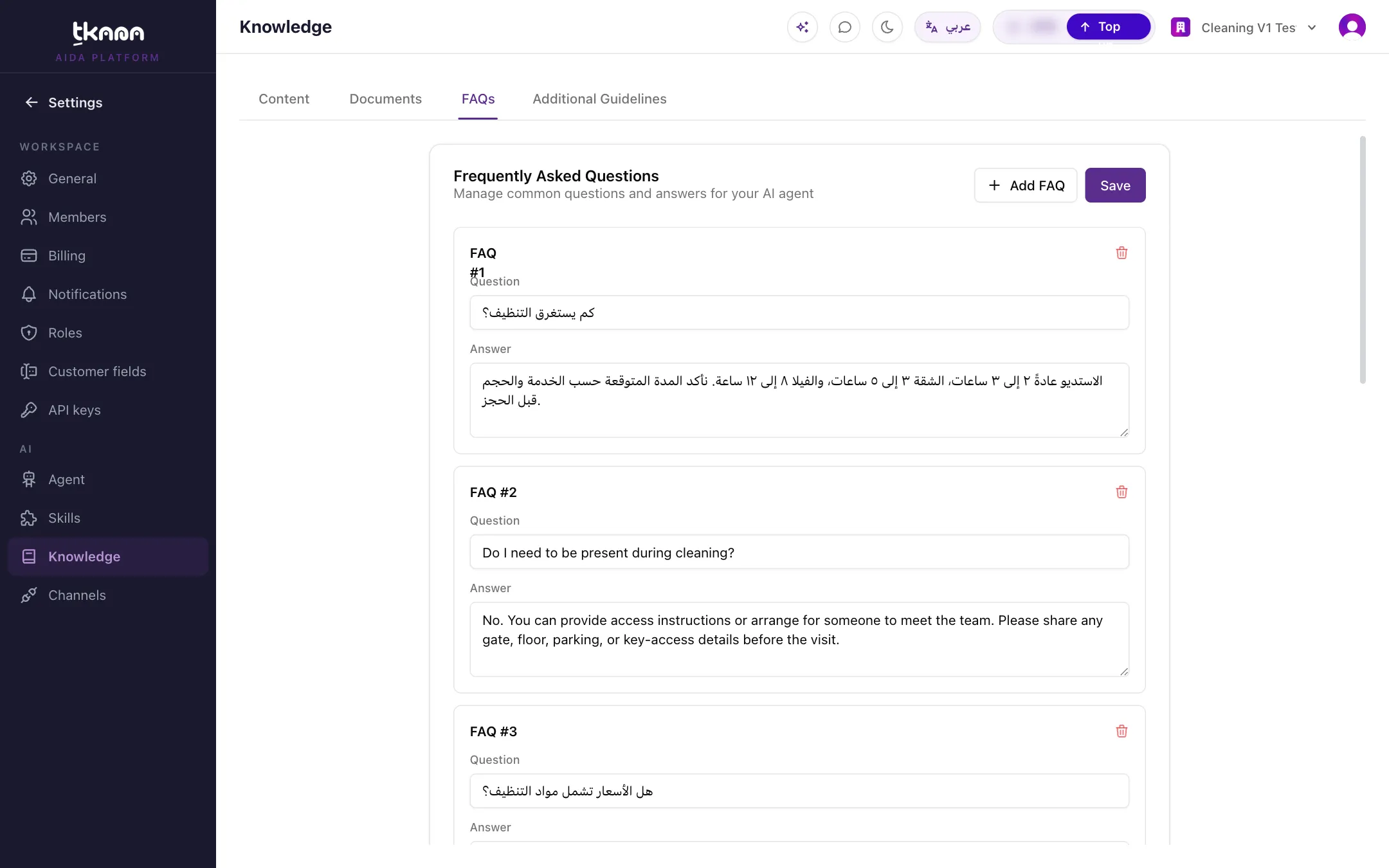
Section titled “Add FAQs”FAQs are question-and-answer pairs. Use them when a question has one right answer that you want your agent to give word for word, such as your refund policy or delivery areas.
- Open the FAQs tab.
- Click Add FAQ.
- Fill in the Question the way a customer would ask it, and the Answer you want your agent to give.
- Add as many as you need, then click Save.
To remove an FAQ, click Delete on it, then click Save.
Set rules in Additional Guidelines
Section titled “Set rules in Additional Guidelines”Additional Guidelines are instructions for how your agent behaves, not facts about your business. They apply to all of your agents.
Good examples:
- “Never offer a discount on new-season products.”
- “If a customer asks about a refund, tell them a team member will contact them, and do not promise an amount.”
- “Always suggest booking online when a customer asks about availability.”
- “Answer in a short, friendly way, and never use more than one emoji.”
Type your rules in the tab and click Save. The changes apply to your agent’s next reply.
Related
Section titled “Related”Was this article helpful?
Thanks for the feedback, it helps us improve these guides.