

Use the setup guide on Home
After you finish the setup steps, Home shows Set up your agent: a short guide built around what you want to improve in your business. You pick your goals, and the guide lists what your agent still needs for each one.
Step 1: Choose your goals
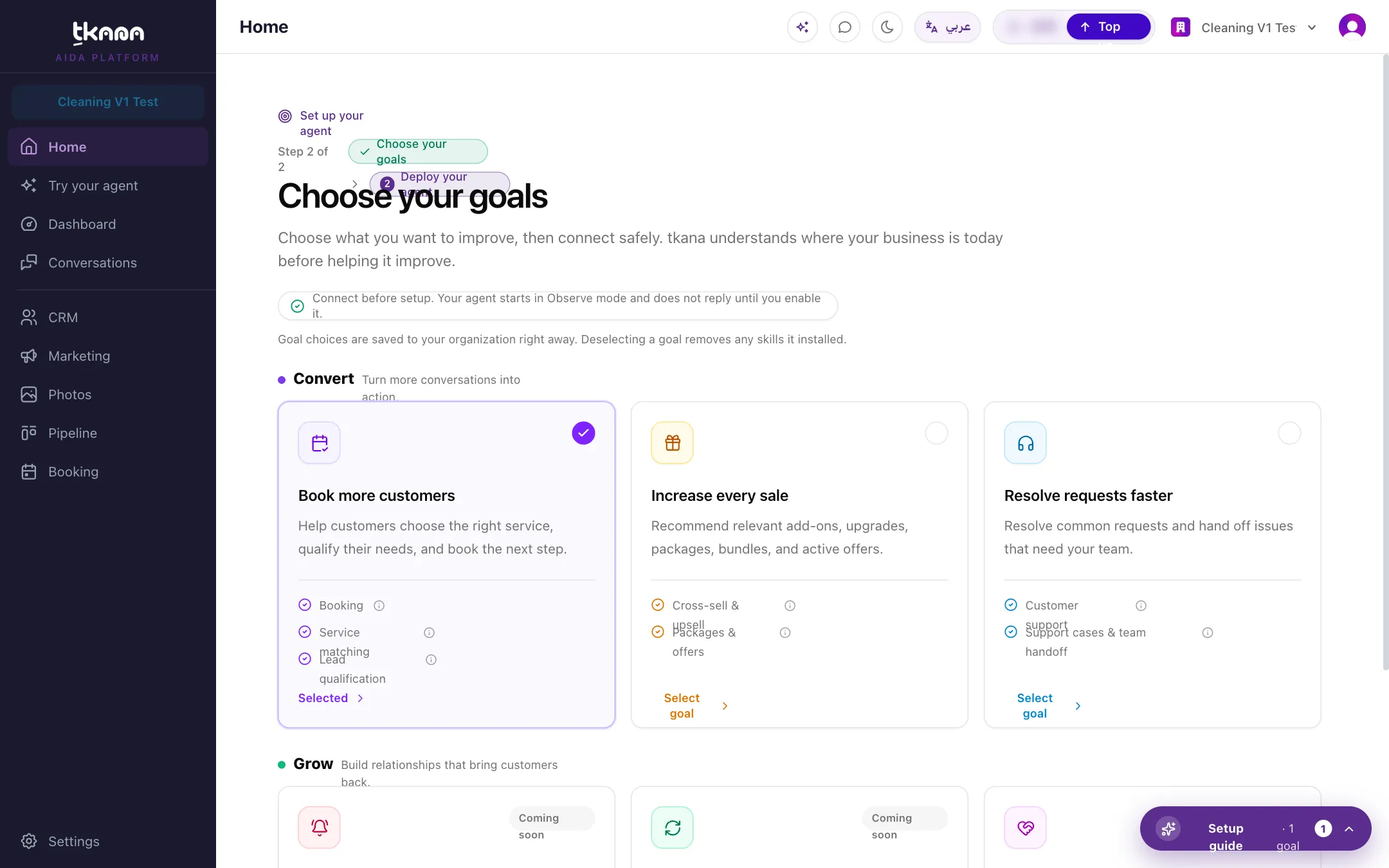
Section titled “Step 1: Choose your goals”Under Choose your goals, each card is an outcome you can aim for, grouped under Convert and Grow:
| Goal | What it means |
|---|---|
| Book more customers | Help customers choose the right service and book it in the chat. |
| Increase every sale | Recommend relevant add-ons, upgrades, packages, and offers. |
| Resolve requests faster | Answer common requests and hand the rest to your team. |
| Keep customers on track | Remind customers before appointments and when a service is due. |
| Bring customers back | Follow up with customers worth reconnecting with. |
| Build customer loyalty | Check satisfaction and ask happy customers for feedback. |
Click Select goal on the cards you want. Your choices are saved to your organization right away. A goal marked Coming soon is not available yet.
Step 2: Deploy your agent
Section titled “Step 2: Deploy your agent”Open the Setup guide to see, for each goal you selected, the steps it needs and whether each one is Ready or Missing. For example, Book more customers asks you to:
- Add your services, with prices and durations.
- Add staff & spaces, link each to a team member.
- Set weekly availability, so your agent offers real open slots.
- Install the Lead Qualification skill.
Each step has a Show me how link that takes you to the right page and walks you through it. When every step is ready, click the deploy button to switch the goal on for your agent.
Connect your channels at any time
Section titled “Connect your channels at any time”You do not have to finish the setup guide before connecting WhatsApp. A newly connected WhatsApp number starts in Observe mode: your agent watches and does not reply until you switch the channel to Active. This lets you prepare your agent while your conversations are already coming in.
Related
Section titled “Related”Was this article helpful?
Thanks for the feedback, it helps us improve these guides.