

Read your dashboard
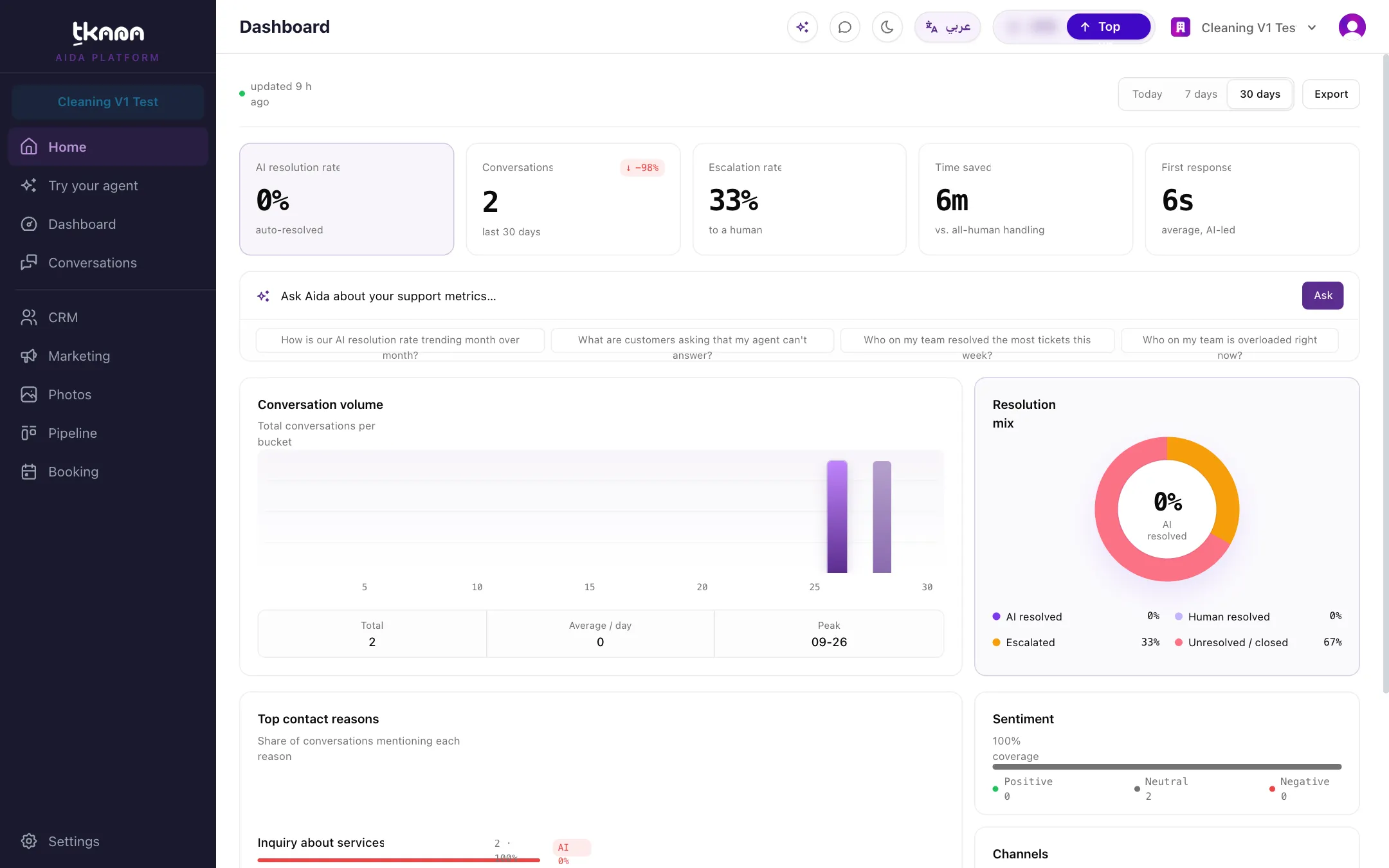
Open Dashboard from the sidebar. All numbers are for your business only and use your business’s time zone.
Choose a date range
Section titled “Choose a date range”At the top right, switch between Today, 7 days, and 30 days. Every card updates to the range you pick. Next to it, a short line tells you how recently the numbers were updated, for example updated 12 min ago. Most numbers refresh every hour.
The key numbers
Section titled “The key numbers”The row at the top shows five numbers:
| Number | What it tells you |
|---|---|
| AI resolution rate | Of the conversations that reached an outcome, the share your AI agent resolved on its own. |
| Conversations | How many conversations started in the selected range, on all channels. |
| Escalation rate | Of the conversations that reached an outcome, the share that was handed to a person on your team. |
| Time saved | An estimate of the team time your agent saved. Each customer message is counted as about one minute of work your team did not have to do. |
| First response | The average time from the start of a conversation to the first reply. Long gaps of more than an hour, when a customer comes back later, are left out. |
The AI resolution rate and the escalation rate are measured against the same group of conversations: those that ended as resolved by the AI, resolved by your team, escalated, or closed. Conversations that are still open are not counted yet.
Comparison with the previous period
Section titled “Comparison with the previous period”Under each number, a small badge compares it with the previous period of the same length. For example, with 7 days selected, it compares with the 7 days before that. Green means the change is good for your business: for Escalation rate and First response, a lower number is better. If there is not enough data to compare, no badge is shown.
Conversation volume
Section titled “Conversation volume”This chart shows how many conversations you received over the range: per hour for Today, and per day for 7 days and 30 days. Use it to spot your busiest hours and days, and plan your team around them.
Resolution mix
Section titled “Resolution mix”This donut shows how conversations ended:
- AI resolved: your agent handled it from start to finish.
- Human resolved: someone on your team resolved it.
- Escalated: it was handed to your team and is waiting for them.
- Unresolved / closed: it was closed without being resolved.
A healthy mix has a large AI resolved share and a small escalated share. If escalations are high, look at the top contact reasons to see which questions your agent struggles with, then add the missing answers to your knowledge base.
Ask Aida about your numbers
Section titled “Ask Aida about your numbers”Below the key numbers, you can type a question for Aida, the assistant built into the portal, for example which topics are driving escalations. Aida opens and answers alongside your dashboard. See Ask Aida about your numbers.
Was this article helpful?
Thanks for the feedback, it helps us improve these guides.