

Understand how your agent replies
Your AI agent answers your customers on WhatsApp, the chat widget, your chat page, and Telegram. This article explains what it draws on when it replies, when it deliberately stays quiet, and which settings you use to shape it.
What your agent uses to reply
Section titled “What your agent uses to reply”Every time a customer writes, your agent puts together:
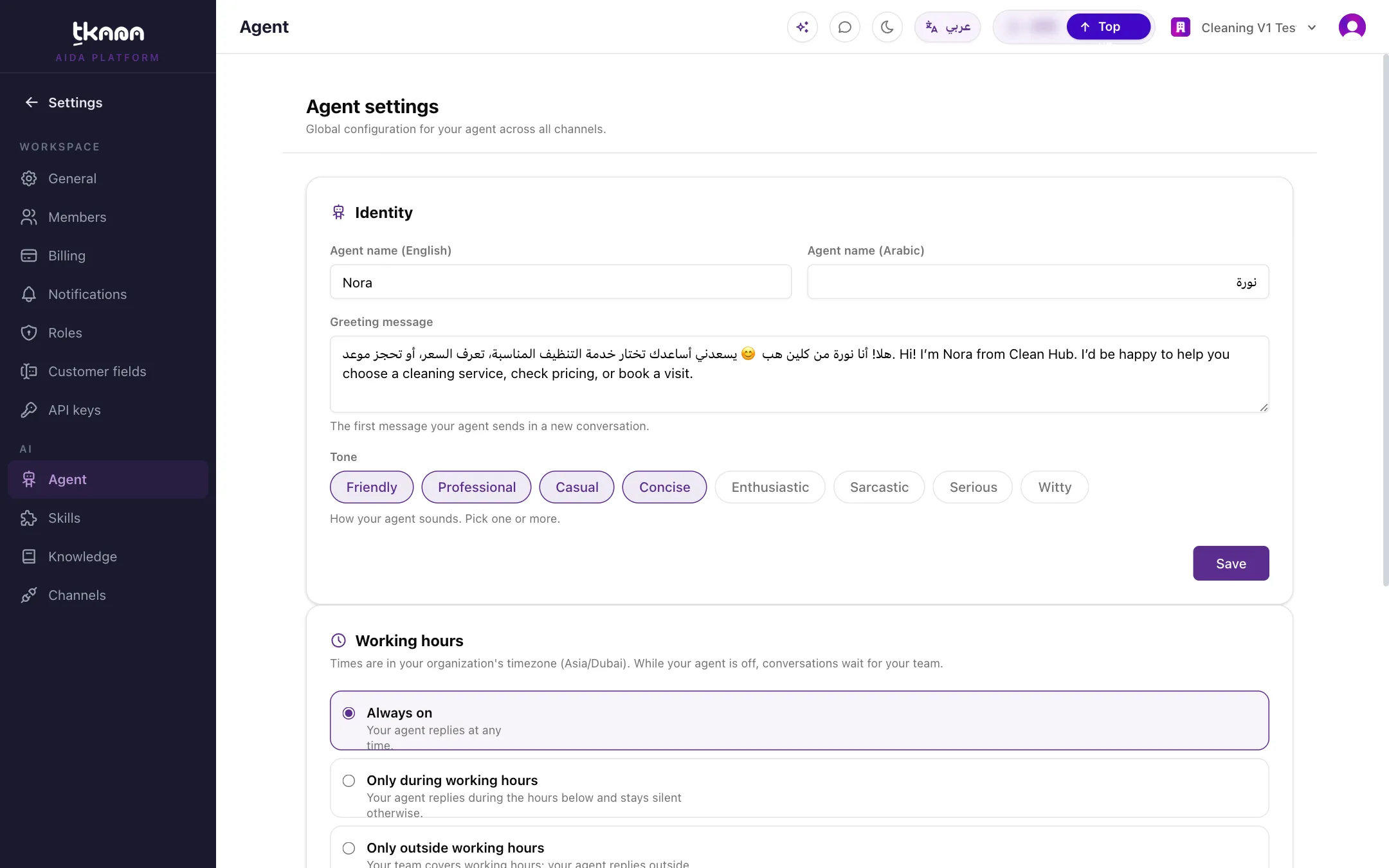
- Its identity: the name, greeting, and tone you set in Settings > Agent.
- Your knowledge base: your business description, FAQs, additional guidelines, and documents. It searches your documents when a question needs them.
- Its skills: ready-made abilities such as opening tickets, booking appointments, or escalating to your team. When a skill applies, the agent acts, not just answers.
- The conversation so far and what it remembers about the customer.
It replies in the language the customer writes in, Arabic or English, and keeps its messages short and conversational, the way people chat on WhatsApp.
When your agent stays silent
Section titled “When your agent stays silent”Your agent does not reply when any of these is true:
| Situation | What to do if you want it to reply |
|---|---|
| The channel is in Observe mode. | Switch the channel to Active in Settings > Channels. |
| A person on your team replied recently or took over the conversation. | Hand the conversation back. See Reply to a customer and hand the conversation back. |
| The customer has a tag you excluded. | Remove the tag from the customer, or from Excluded customers. See Stop automatic replies for some customers. |
| It is outside the hours you set for your agent. | Change the working hours. See Choose when your agent replies. |
What your agent remembers
Section titled “What your agent remembers”- Within a conversation, it reads the recent messages, so customers do not have to repeat themselves.
- Across conversations, it keeps a short profile of each customer, such as their name, city, and a few recent notes, so it recognizes returning customers. Deleting the customer erases this profile.
Photos and voice messages
Section titled “Photos and voice messages”- Your agent can send images from your Photos page when they help, such as a menu or a before-and-after picture.
- Voice messages customers send on WhatsApp and Telegram are transcribed, so your agent can answer them.
- Your agent reads text and voice messages. It does not look at photos or files that customers send, so your team should check those in the conversation.
When a person is needed
Section titled “When a person is needed”With the Escalation skill, your agent hands the conversation to your team when the customer asks for a person, raises a complaint, or needs a decision it cannot make. See Understand escalation.
How you shape your agent
Section titled “How you shape your agent”| To change | Go to |
|---|---|
| Name, greeting, tone | Settings > Agent |
| Working hours and excluded customers | Settings > Agent |
| What it knows | Settings > Knowledge |
| Rules it follows in every conversation | Settings > Knowledge > Additional Guidelines |
| What it can do | Settings > Skills |
| Where it replies | Settings > Channels |
Credits
Section titled “Credits”Each reply your agent sends uses credits from your wallet. You can follow your balance at the top of every page and your usage in Settings > Billing.
Was this article helpful?
Thanks for the feedback, it helps us improve these guides.