

Support tickets
What it does
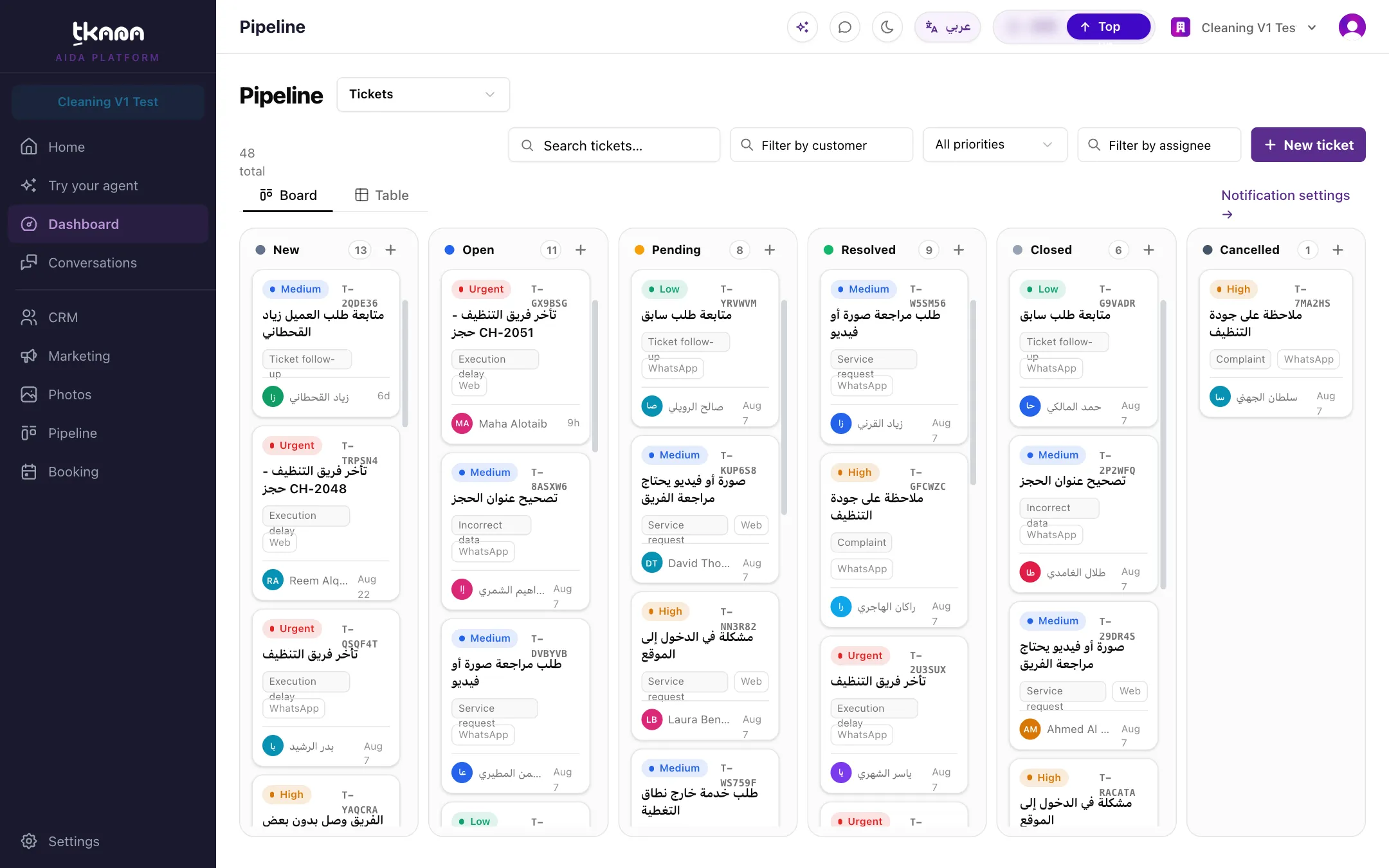
Section titled “What it does”When a request cannot be finished inside the chat, such as a complaint, a payment problem, or a service request, your agent opens a ticket with all the details. The customer gets a request number and knows your team will follow up, and your team gets an email and a card on the tickets board.
Good for
Section titled “Good for”Every business. It is installed by default on every new account, and many other skills rely on it to hand requests to your team.
What it needs
Section titled “What it needs”- An address in Support team email, so your team is alerted about new tickets.
- For WhatsApp updates to customers: a connected WhatsApp number and Meta’s approval of the ticket messages. See Connect your WhatsApp Business number.
What your customers experience
Section titled “What your customers experience”Customer: I was charged twice for the same order.
Agent: I’m sorry about that. Could you confirm the email you used for the order?
Customer: sara@example.com
Agent: Thank you. I’ve opened request T-10482 for our team. They will contact you during business hours.
What happens behind the scenes
Section titled “What happens behind the scenes”- Your agent opens a ticket with a subject, description, category, and priority, linked to the conversation.
- Before opening a ticket, it asks for a phone number or email if one is missing, and checks there is no open ticket for the same request.
- Your team gets an email for every new ticket.
- The customer gets a WhatsApp message when the ticket is received and another when it is resolved.
- If the agent said it would open a ticket but did not, tkana reviews the conversation shortly after it goes quiet and opens the ticket.
See How your agent opens tickets and Ticket notifications for your customers and team.
Settings
Section titled “Settings”| Setting | What it controls | Example |
|---|---|---|
| Support team email | Where new-ticket alerts are sent. Required. While it is empty, tickets are still created but no email goes out. | support@yourbusiness.com |
Install it
Section titled “Install it”Support tickets is already installed on new accounts. To add the alert email:
-
Go to Settings, then under AI click Skills, and click Support tickets.
-
Under Skill settings, enter the address in Support team email.
-
Click Save & re-apply.
If you removed the skill, install it again from the Skill gallery. See Install a skill from the gallery.
Was this article helpful?
Thanks for the feedback, it helps us improve these guides.