

Understand skills
A skill is a ready-made ability you add to your agent. Each skill gives your agent instructions for one kind of task, the actions it may take to complete it (such as opening a ticket or booking a slot), and a few settings you fill in, such as the email address that should get alerts. Your agent combines all its active skills in every conversation.
Where to find your skills
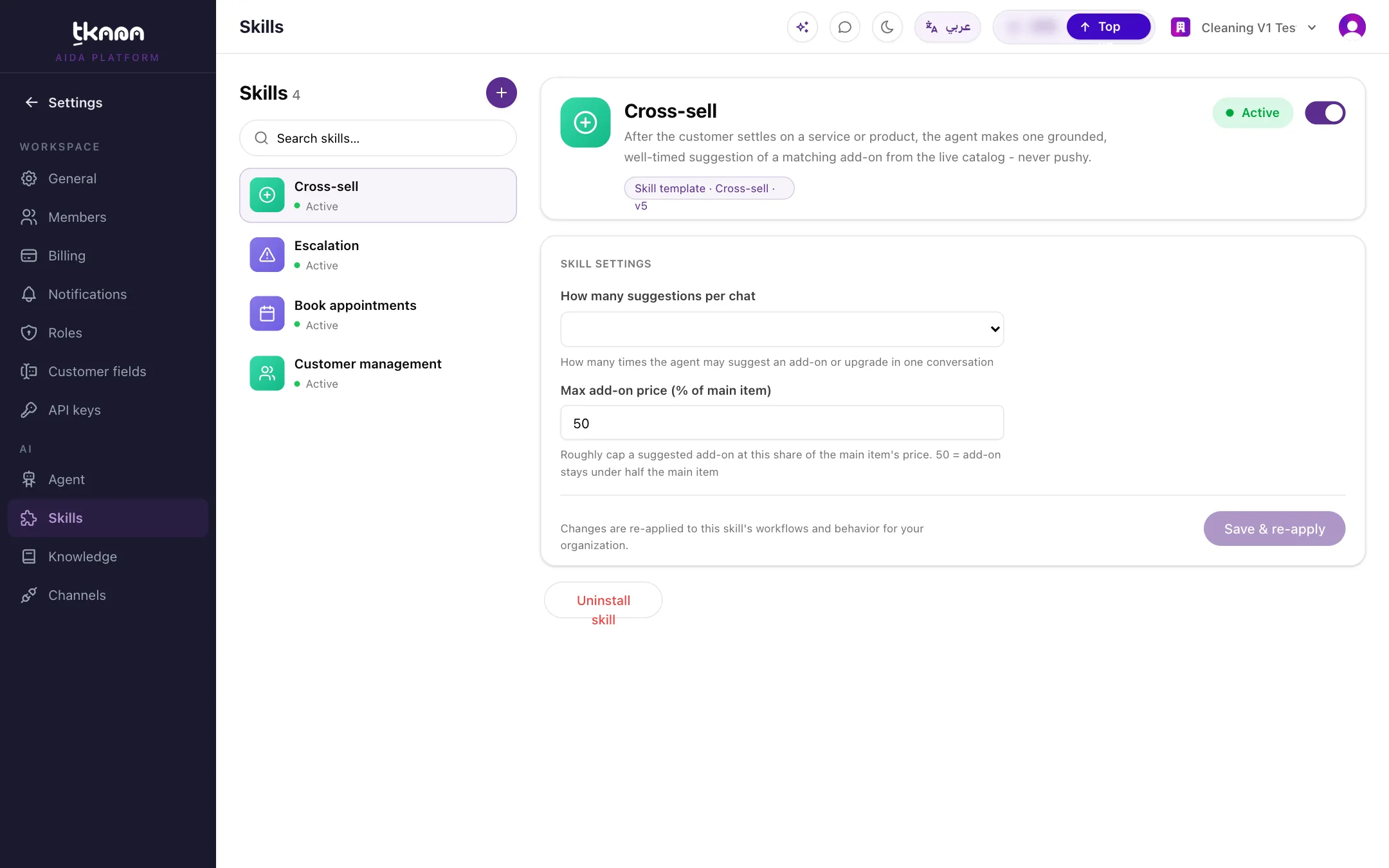
Section titled “Where to find your skills”Go to Settings, then under AI click Skills. Your installed skills are listed on the side. Click one to see its details and settings, or click + to open the Skill gallery.
Skills your agent starts with
Section titled “Skills your agent starts with”Every new account starts with a few core skills:
| Skill | What your agent does with it |
|---|---|
| Support tickets | Opens a ticket when a customer needs follow-up from your team, and alerts your team. |
| Escalation | Hands the conversation to a person when the customer asks for one, has a complaint, or needs a decision the agent cannot make. |
| Customer management | Keeps each customer’s name, email, phone, and address up to date from the conversation. |
Skills you can add
Section titled “Skills you can add”The skill gallery shows the skills available for your account. Common ones include:
| Skill | What your agent does with it |
|---|---|
| Book appointments | Books, reschedules, and cancels appointments against your real services and availability. |
| Request appointments | Takes the customer’s preferred time so your team can confirm it. |
| Lead Qualification | Checks each new lead against your criteria, tags them, and alerts your sales team about hot leads. See Qualify leads automatically. |
| Cross-sell | Suggests one relevant add-on from your catalog. |
| Up-sell | Mentions the bigger or better version of what the customer is buying. |
| Customer follow-up | Follows up on a past conversation or service with one specific question, and opens a ticket if anything is still unresolved. |
Some skills only appear once you connect the system they work with. For example, the Salla skills (product search, order tracking, returns, and more) need a connected Salla store, and the Foodics skills need a connected Foodics account.
Skills tkana builds for you
Section titled “Skills tkana builds for you”If your business needs something the gallery does not offer, tkana can build a custom skill for your account. A custom skill shows its instructions under Prompt, and you can edit them. Contact tkana support to discuss a custom skill.
Next steps
Section titled “Next steps”Was this article helpful?
Thanks for the feedback, it helps us improve these guides.