

Lead Qualification
What it does
Section titled “What it does”With Lead Qualification, your agent works every inbound lead against your own definition of a good lead. It asks a few focused questions, keeps the lead’s details up to date, tags each lead by stage, and hands hot leads to your sales team as high-priority tickets, with an email alert. Your team spends its time on the leads most likely to buy.
Good for
Section titled “Good for”Businesses that sell through conversations and follow up with a sales team: B2B services, software, real estate, education, clinics with high-value treatments, and similar.
What it needs
Section titled “What it needs”- Your qualification criteria: a paragraph describing what makes a lead worth your sales team’s time.
- A sales alert email where hot-lead alerts go.
What your customers experience
Section titled “What your customers experience”Customer: Hi, I’m interested in your service for my company.
Agent: Welcome! Happy to help. What does your company do, and what are you hoping to solve?
Customer: We are a chain of 8 pharmacies and want to start next month.
Agent: Thank you, that is helpful. One of our specialists will contact you shortly to go through the details.
What happens behind the scenes
Section titled “What happens behind the scenes”- Asks focused questions one at a time, based on your criteria, without repeating what the lead already answered.
- Updates the lead’s contact record with their name, email, and company as it learns them.
- Tags each lead by stage: hot, nurture, or unqualified, plus a contacted tag once a real conversation has happened.
- Opens a high-priority ticket for each hot lead, linked to the conversation, with a summary of who they are and which criteria they met.
- Emails your sales team when a hot lead comes in.
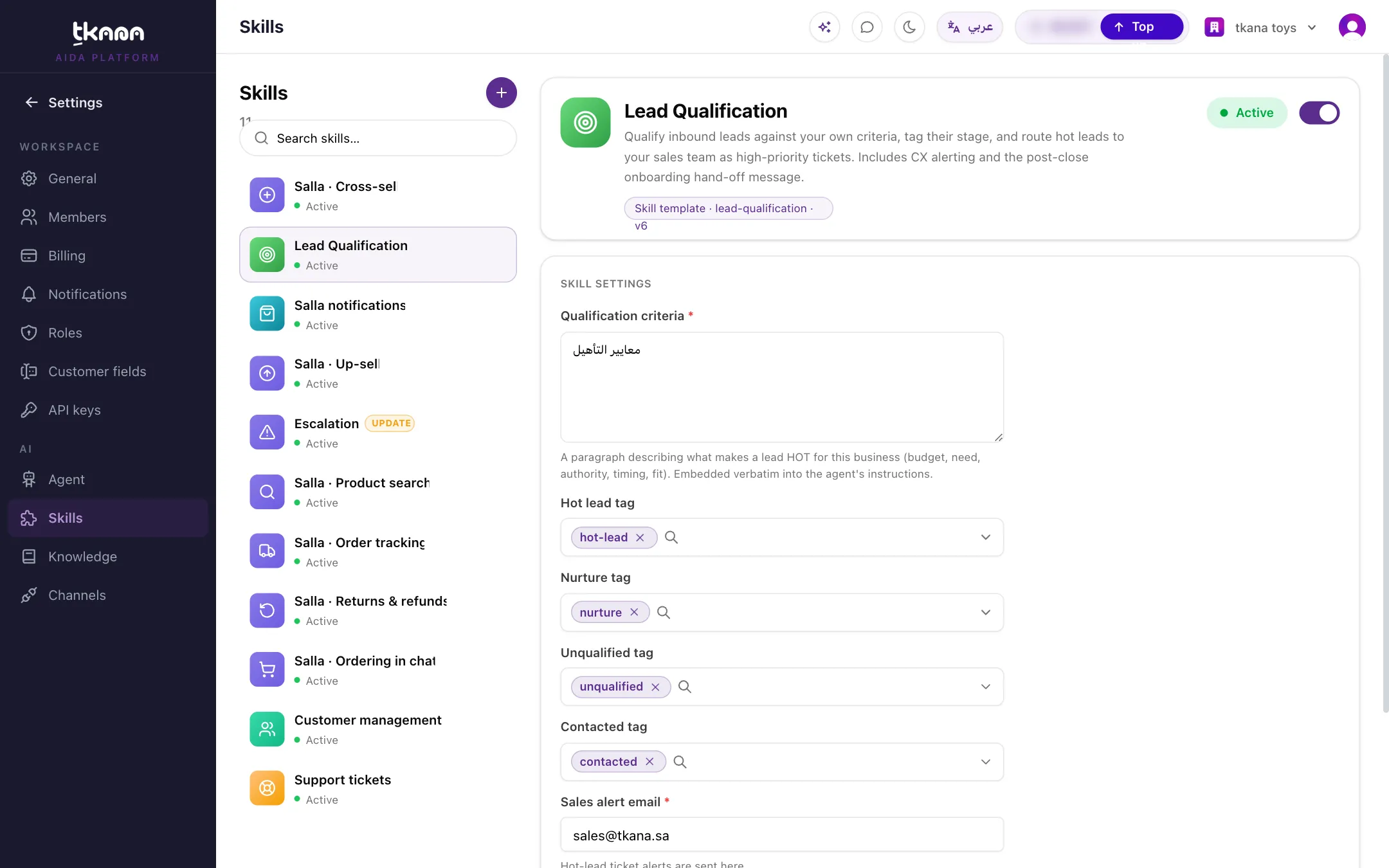
Settings
Section titled “Settings”| Setting | What it controls | Example |
|---|---|---|
| Qualification criteria | What makes a lead hot, nurture, or unqualified. Required. Your agent follows this text closely. | “A hot lead is a business with at least 5 staff that wants to start within 3 months.” |
| Hot lead tag | The tag for leads that meet your criteria. | hot-lead |
| Nurture tag | The tag for leads who are interested but not ready. | nurture |
| Unqualified tag | The tag for leads who are not a fit. | unqualified |
| Contacted tag | The tag added once a real conversation has happened. | contacted |
| Sales alert email | Where hot-lead alerts are sent. Required. | sales@yourbusiness.com |
Install it
Section titled “Install it”-
Go to Settings, then under AI click Skills, click +, and choose Lead Qualification in the Skill gallery.
-
Write your Qualification criteria and fill in the Sales alert email. Keep or rename the four tags.
-
Click Install skill.
Was this article helpful?
Thanks for the feedback, it helps us improve these guides.