

Understand contact reasons, pain points, and sentiment
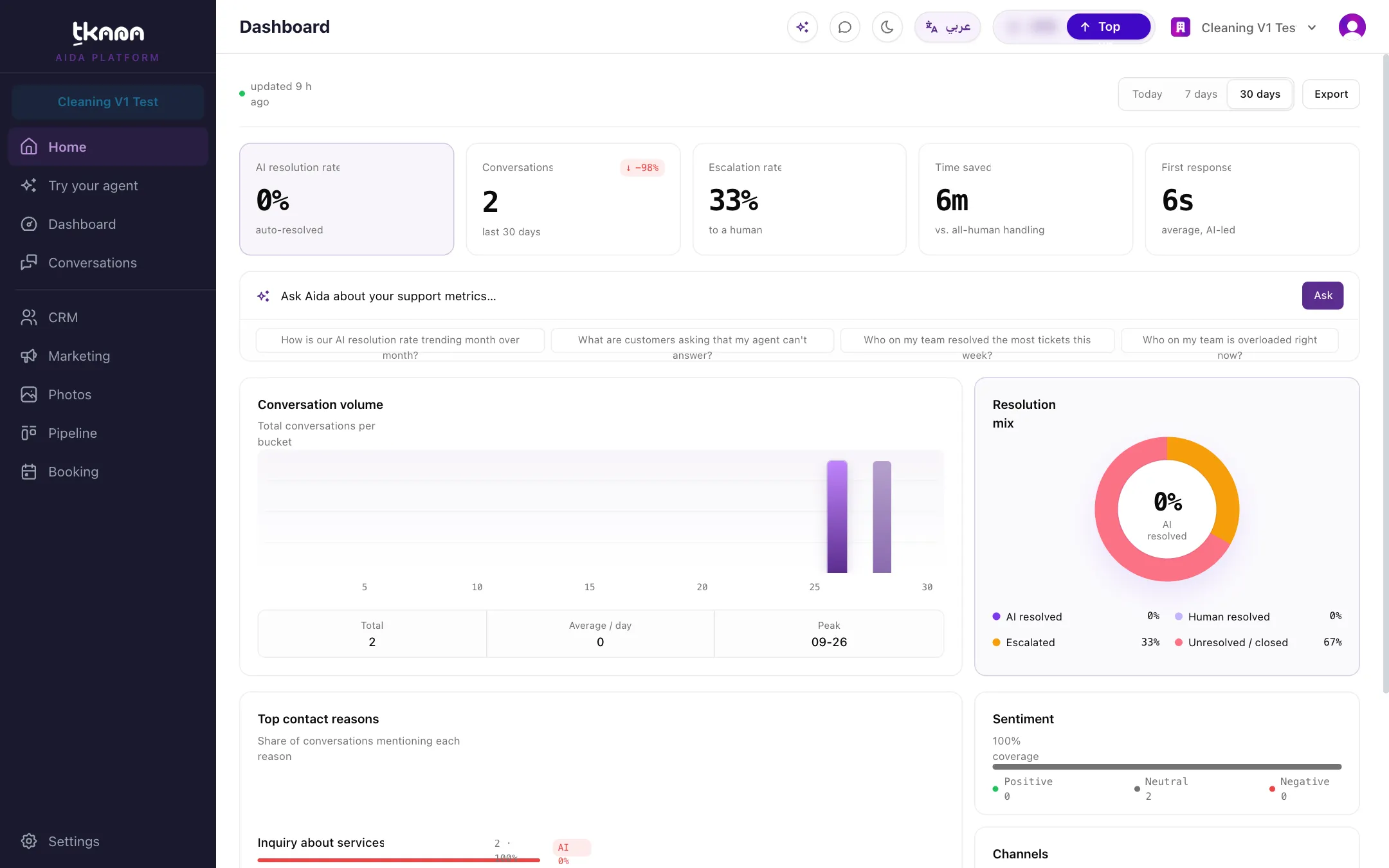
When a conversation ends or goes quiet, tkana’s AI writes a short summary of it. From that summary it picks out why the customer got in touch, anything that went wrong for them, and the overall mood. The cards in the lower half of the Dashboard add these up, so you can see patterns across all your conversations.
Top contact reasons
Section titled “Top contact reasons”This card lists the most common reasons customers contacted you in the selected range, for example “Booking an appointment” or “Delivery status”. Next to each reason you see how many conversations mentioned it and what share of conversations that is.
A single conversation can have up to three reasons, so the percentages can add up to more than 100%. Read each one as “this share of conversations mentioned this reason”, not as slices of a pie.
Reasons are grouped every night, so similar wordings, including the same topic in Arabic and English, end up under one reason. A new reason can appear on its own for a day before it is grouped with a similar one.
Top customer pain points
Section titled “Top customer pain points”This card lists what went wrong for your customers, such as long waits or unclear prices. Pain points are ranked by Friction, not by how often they come up. Friction combines three signals:
- Negative sentiment: how often the customer was unhappy.
- Repeat contacts: how often the customer had to get in touch again.
- Escalated: how often the conversation had to go to your team.
So a problem that comes up less often but makes customers very unhappy can rank above a frequent, minor one. Where available, Primary driver shows the main reason behind the pain point.
If no pain points were found in the range, the card says so. That is good news: your customers had a smooth run.
Sentiment
Section titled “Sentiment”This bar shows the share of conversations where the customer came across as Positive, Neutral, or Negative.
Sentiment is only available for conversations that have a summary, so the card also shows a coverage percentage: the share of conversations in the range that have one. A low coverage means the sentiment split is based on fewer conversations.
Channels
Section titled “Channels”This card shows where your conversations started: WhatsApp, Web chat, or Other (all remaining channels combined).
Turn the insights into action
Section titled “Turn the insights into action”- A contact reason that shows up often is a good candidate for a clear answer in your knowledge base or FAQs, so your agent can resolve it on its own.
- A pain point with high friction points to something in your business or your agent’s instructions worth fixing first.
- In Conversations, you can filter by contact reason to read the actual conversations behind a topic.
- Ask Aida to find the questions your agent could not answer and fix them for you. See Find and fix knowledge gaps with Aida.
Was this article helpful?
Thanks for the feedback, it helps us improve these guides.