

Understand your knowledge base
Your agent answers customer questions from your knowledge base. Add your prices, services, policies, and FAQs once, and your agent uses them on every channel, in Arabic and English. When the answer is not there, it says so and can pass the question to your team instead of guessing.
Where to find it
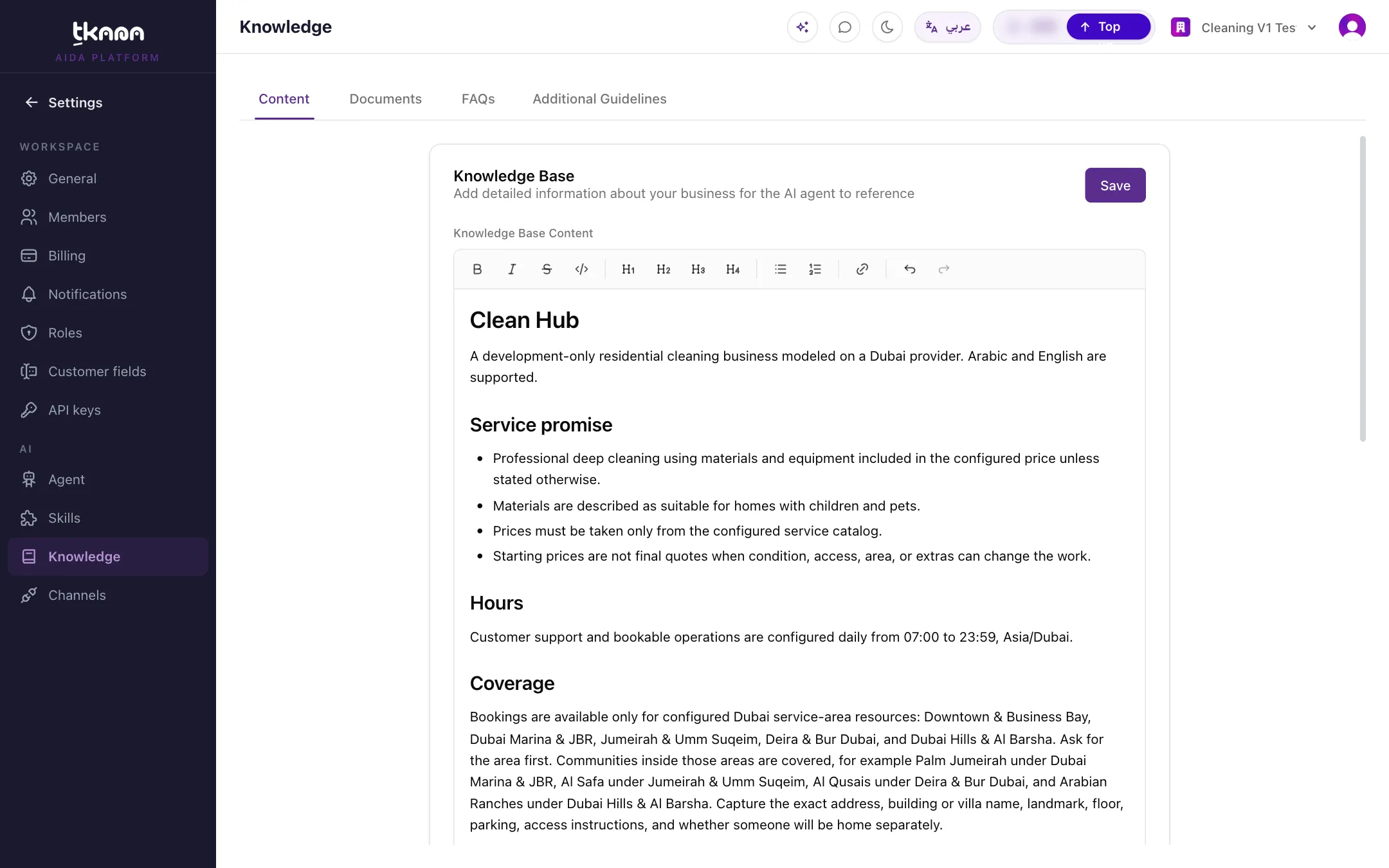
Section titled “Where to find it”Go to Settings, then under AI click Knowledge. The knowledge base has four tabs.
| Tab | What goes there | How your agent uses it |
|---|---|---|
| Content | A short description of your business: what you do, where you are, opening hours, and links you want customers to have. | Read on every message. |
| Documents | Files and longer text: price lists, service menus, policies, offers, packages, and product sheets. | Searched when a question needs it. |
| FAQs | Questions and answers you write yourself. | Read on every message. |
| Additional Guidelines | Rules for your agent, such as what never gets discounted or when to hand over to your team. | Read on every message and applies to all your agents. |
What to put where
Section titled “What to put where”- Keep Content short. Your agent reads it with every single message, so it should hold the essentials, not your whole website. Long material belongs in Documents.
- Use FAQs for exact answers. If there is one right way to answer a question, such as your refund policy, write it as an FAQ.
- Use Documents for detail. Price lists, catalogs, and service menus work best as documents. For offers, inventory, and packages, use the ready-made templates. See Upload your offers, inventory, or packages.
- Use Additional Guidelines for behavior, not facts. For example: “Never promise a delivery date” or “Refunds always go to the team”.
How your agent finds an answer
Section titled “How your agent finds an answer”- A customer asks a question.
- Your agent already has your Content, FAQs, and Additional Guidelines in front of it.
- If the question needs more detail, it searches your documents for the most relevant parts, by keywords and by meaning. Offers that have passed their end date are left out automatically.
- If nothing relevant turns up, your agent does not make up an answer. Depending on your skills, it tells the customer it will check with the team, escalates the conversation, or opens a ticket.
Keep it up to date
Section titled “Keep it up to date”- Changes to Content, FAQs, and Additional Guidelines take effect as soon as you save.
- To update a document, upload the corrected file again. Your agent relearns it automatically. See Add a document to your knowledge base.
- Deleting a document stops your agent from using it.
Check what your agent knows
Section titled “Check what your agent knows”- Try your agent: ask the questions your customers ask and check the answers. See Test your agent.
- Ask Aida: click Check for knowledge gaps in Aida to find questions your agent could not answer. See Find and fix knowledge gaps with Aida.
Was this article helpful?
Thanks for the feedback, it helps us improve these guides.
Need more help?