

Escalation
What it does
Section titled “What it does”Some conversations need a person. With Escalation, your agent recognizes those moments, marks the conversation as escalated, tells your team by email, and keeps the customer company until someone steps in. No upset customer is left talking to a bot.
Good for
Section titled “Good for”Every business. It is installed by default on every new account.
What it needs
Section titled “What it needs”Nothing to set up first. The skill works as soon as it is installed. Your team’s email alerts go to the members of your workspace, so check who is listed in Settings > Members.
What your customers experience
Section titled “What your customers experience”Customer: This is the second time my order arrived damaged. I want to speak to a manager.
Agent: I’m sorry this happened again. I’ve passed your conversation to our team, and someone will reply to you here.
The agent does not promise a response time. It keeps answering simple questions until a teammate replies or takes over.
What happens behind the scenes
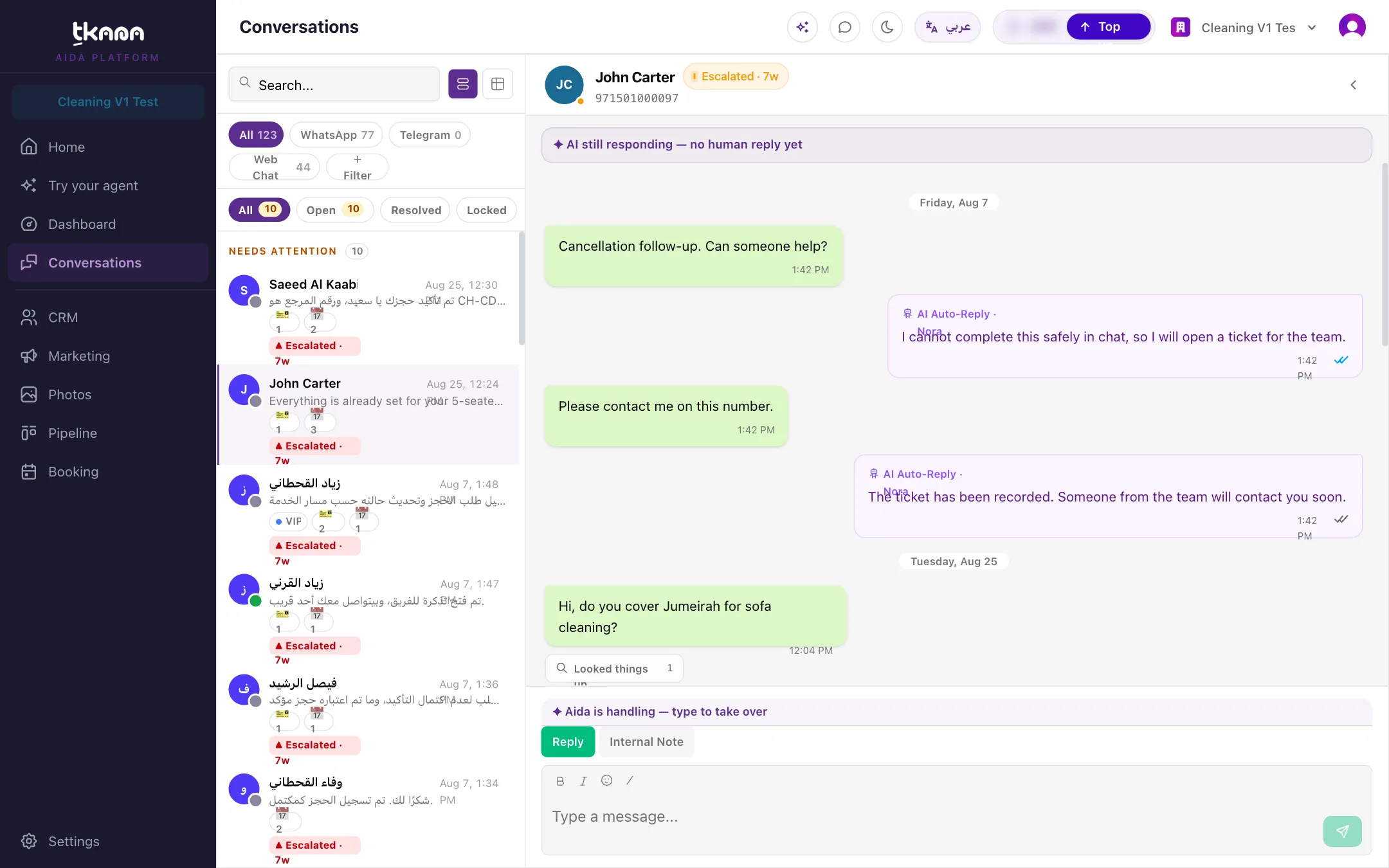
Section titled “What happens behind the scenes”- Your agent escalates when the customer asks for a person or a manager, makes a complaint about your staff, raises a legal or safety concern, or needs a decision the agent cannot make, such as a refund or an account change.
- The conversation’s status changes to Escalated with a short reason, and it moves to the top of your Conversations list.
- Your team gets an email with the customer’s name, phone number, and the reason.
- The customer gets the tag you chose, so you can find escalated customers in CRM.
For the full picture, see Understand escalation.
Settings
Section titled “Settings”| Setting | What it controls | Example |
|---|---|---|
| Escalate repeated unresolved issues | Also escalate when the agent has tried to help several times and the request is still unresolved. On by default. | On |
| Attempts before escalation | How many failed attempts count before escalating: 1 attempt, 2 attempts, or 3 attempts. | 2 attempts |
| Additional escalation criteria | Extra cases specific to your business, written in plain language. Optional. | “Escalate any request for a corporate or bulk order.” |
| Customer tag after escalation | The tag added to escalated customers. tkana creates it if it does not exist. Required. | Escalated |
See Set your escalation rules for more examples.
Install it
Section titled “Install it”Escalation is already installed on new accounts. If you removed it:
-
Go to Settings, then under AI click Skills.
-
Click + to open the Skill gallery, then click Escalation.
-
Review the settings, then click Install skill.
For more detail, see Install a skill from the gallery.
Good to know
Section titled “Good to know”Was this article helpful?
Thanks for the feedback, it helps us improve these guides.