

Choose how the assistant replies: Active or Observe only
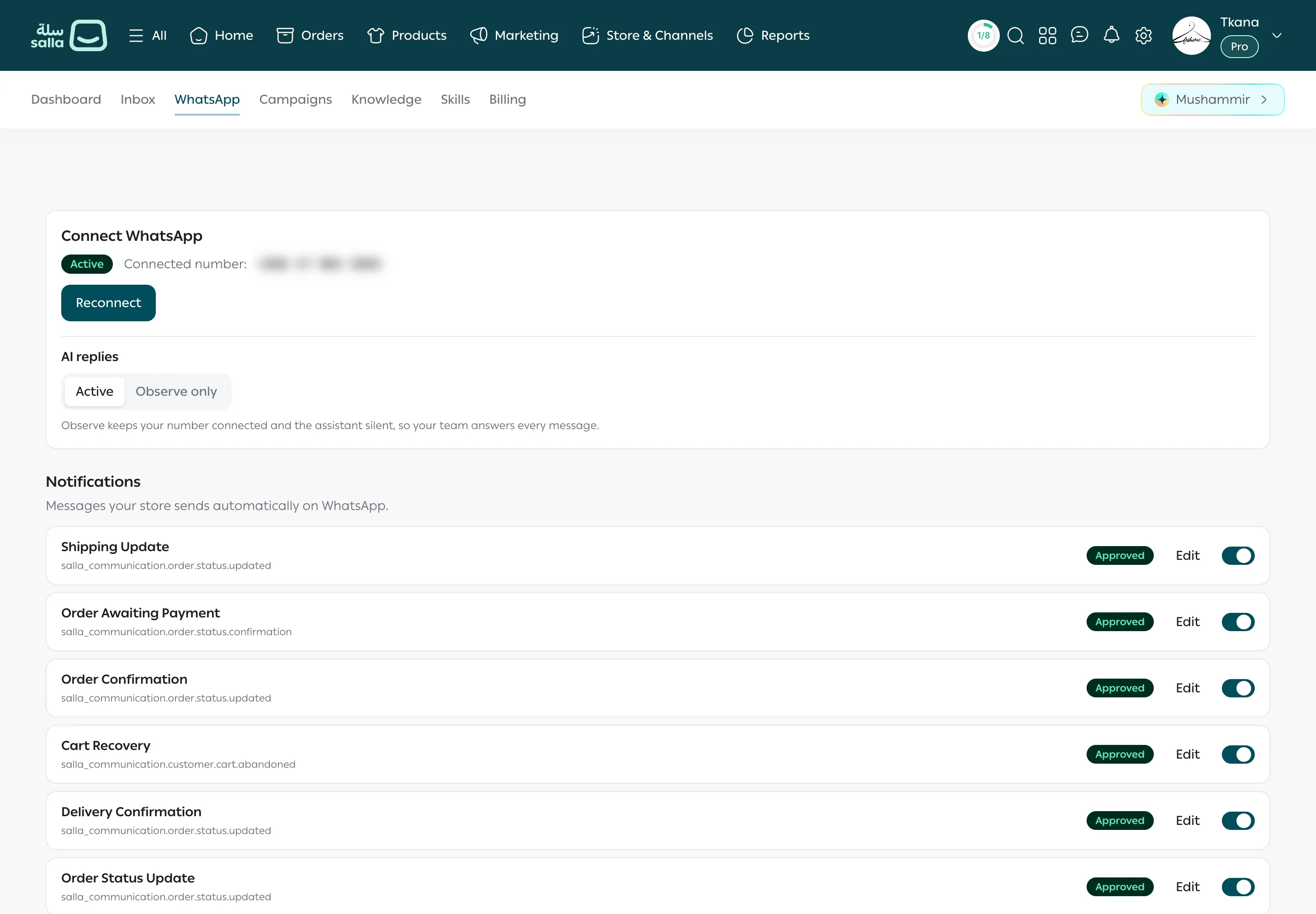
The AI replies setting decides who answers your customers on WhatsApp: your assistant, or only your team. It applies to every WhatsApp conversation in your store.
The two modes
Section titled “The two modes”| Mode | What happens |
|---|---|
| Active | Your assistant answers customers automatically. You can still take over any single conversation whenever you want. |
| Observe only | Your number stays connected and messages appear in Inbox, but the assistant doesn’t reply, so your team answers every message. |
Change the mode
Section titled “Change the mode”-
Open the WhatsApp tab.
-
Under AI replies, click Active or Observe only.
-
Your choice is saved right away. If you see Could not change AI replies. Try again., try again.
When to use each mode
Section titled “When to use each mode”- Observe only suits your first days, when you want to see your customers’ questions and prepare Knowledge before the assistant replies. It also suits times when you want your team to handle every reply for a while.
- Active is the usual mode once you’ve prepared your content and FAQs and tried the assistant yourself.
What this setting doesn’t change
Section titled “What this setting doesn’t change”- Store notifications keep going out in both modes. See Store notifications on WhatsApp.
- Campaigns go out in both modes. But in Observe only, the assistant doesn’t answer customers’ replies to them.
- You can always reply yourself from Inbox.
Was this article helpful?
Thanks for the feedback, it helps us improve these guides.
Need more help?