

Salla · Cross-sell
What it does
Section titled “What it does”With Salla · Cross-sell, your assistant suggests one complementary product once the customer has chosen what they came for: a case with a phone, a refill with a device, a care kit with shoes. The suggestion comes from your live Salla catalog at its real price, and only if it’s in stock. Order values go up without getting in the customer’s way.
Good for
Section titled “Good for”Salla stores with accessories, consumables, or companion products that go with their main items.
What it needs
Section titled “What it needs”Complementary products in your Salla catalog, in stock. Nothing else: your store is already connected since you installed tkana.
What your customers experience
Section titled “What your customers experience”Customer: I’ll take the brown leather wallet.
Assistant: Great choice. Would you like to add the leather care spray for SAR 29? It keeps the leather soft.
Customer: No thanks.
Assistant: No problem. Shall we move on to delivery?
What happens behind the scenes
Section titled “What happens behind the scenes”- Waits until the customer chooses their main product, and never opens the conversation with a suggestion.
- Searches your Salla catalog for an item that goes with the customer’s choice, not a competing main product, and checks it’s in stock.
- Keeps the add-on price reasonable, below the share of the main item’s price that you set.
- Makes the suggestion in one short line before the order summary, and never after the customer confirms.
- Adds it to the cart if the customer agrees, so it shows in the summary and total.
If the customer declines or ignores the suggestion, your assistant doesn’t bring it up again in that conversation. It never invents a discount or fakes urgency.
Turn it on
Section titled “Turn it on”This skill is optional. You’ll find it on the Skills tab as the Salla · Cross-sell card.
-
Open the Skills tab in tkana inside your Salla dashboard.
-
Click the toggle on the Salla · Cross-sell card. You’ll see Skill turned on, and the card’s state changes to Enabled.
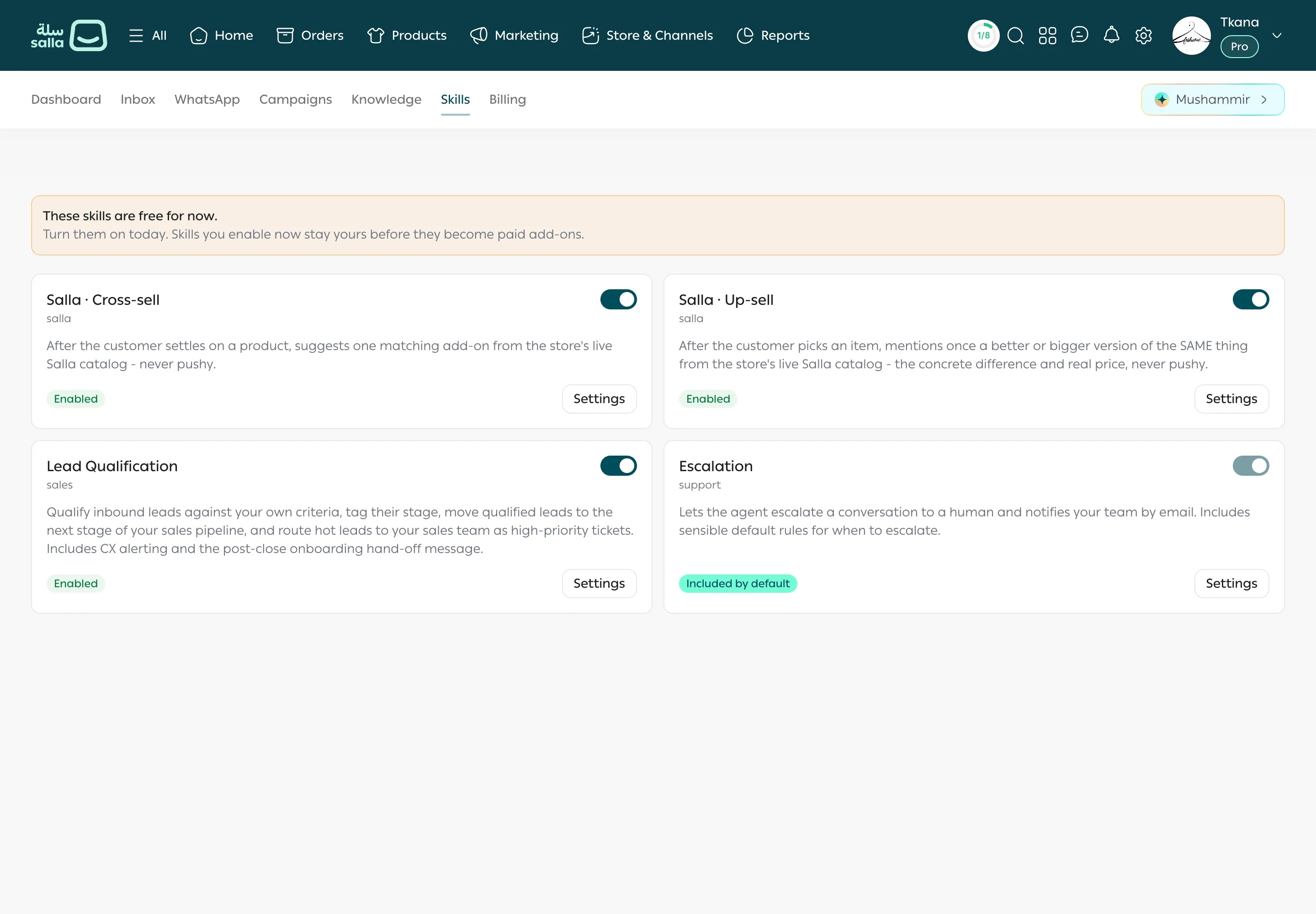
To turn it off, click the toggle again. You’ll see Skill turned off.
Change the settings
Section titled “Change the settings”-
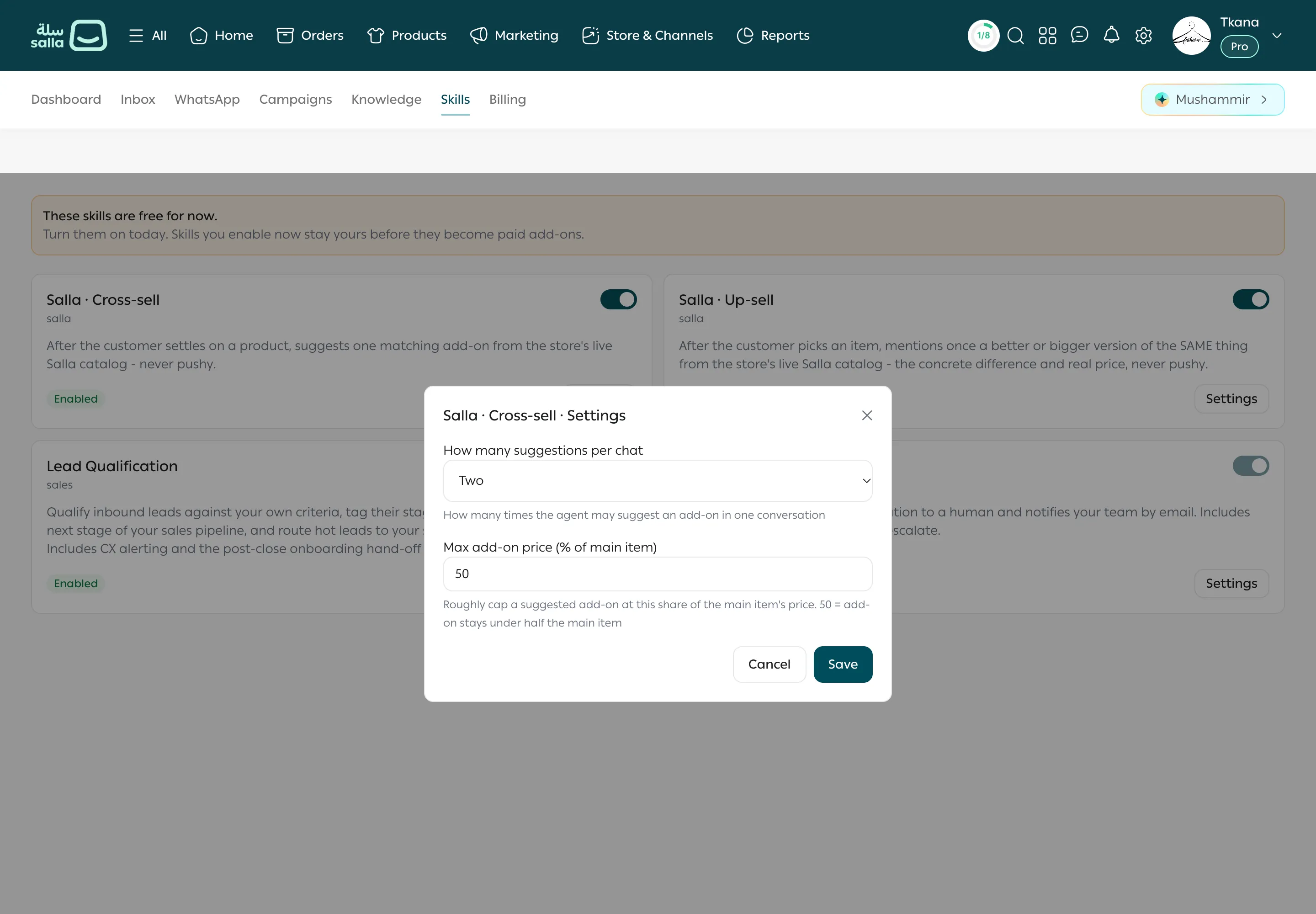
Click Settings on the Salla · Cross-sell card. The button works while the skill is on.
-
Change these values:
Setting What it controls Example How many suggestions per chat How many times an add-on can be suggested in one conversation: None, One, or Two. One (the default) Max add-on price (% of main item) The add-on must cost less than this share of the main item’s price. 50 keeps the add-on under half the main item’s price. -
Click Save. You’ll see Settings saved.
Tips and limits
Section titled “Tips and limits”- Works best with Salla · Ordering in chat, which runs automatically in your store, so an add-on the customer accepts goes straight into the order.
- Set How many suggestions per chat to None to pause suggestions while keeping the skill on.
- To suggest a bigger or better version of the same product, also turn on Salla · Up-sell.
Was this article helpful?
Thanks for the feedback, it helps us improve these guides.