

Read your campaign results
After you send a campaign, its page shows what happened to each message: whether it arrived, whether it was read, and whether the customer replied.
Open a campaign’s results
Section titled “Open a campaign’s results”-
Open the Campaigns tab.
-
Click the campaign’s name in the table.
At the top you see the campaign’s name and status, then the audience, the template name, and when it was sent (such as Sent with the date).
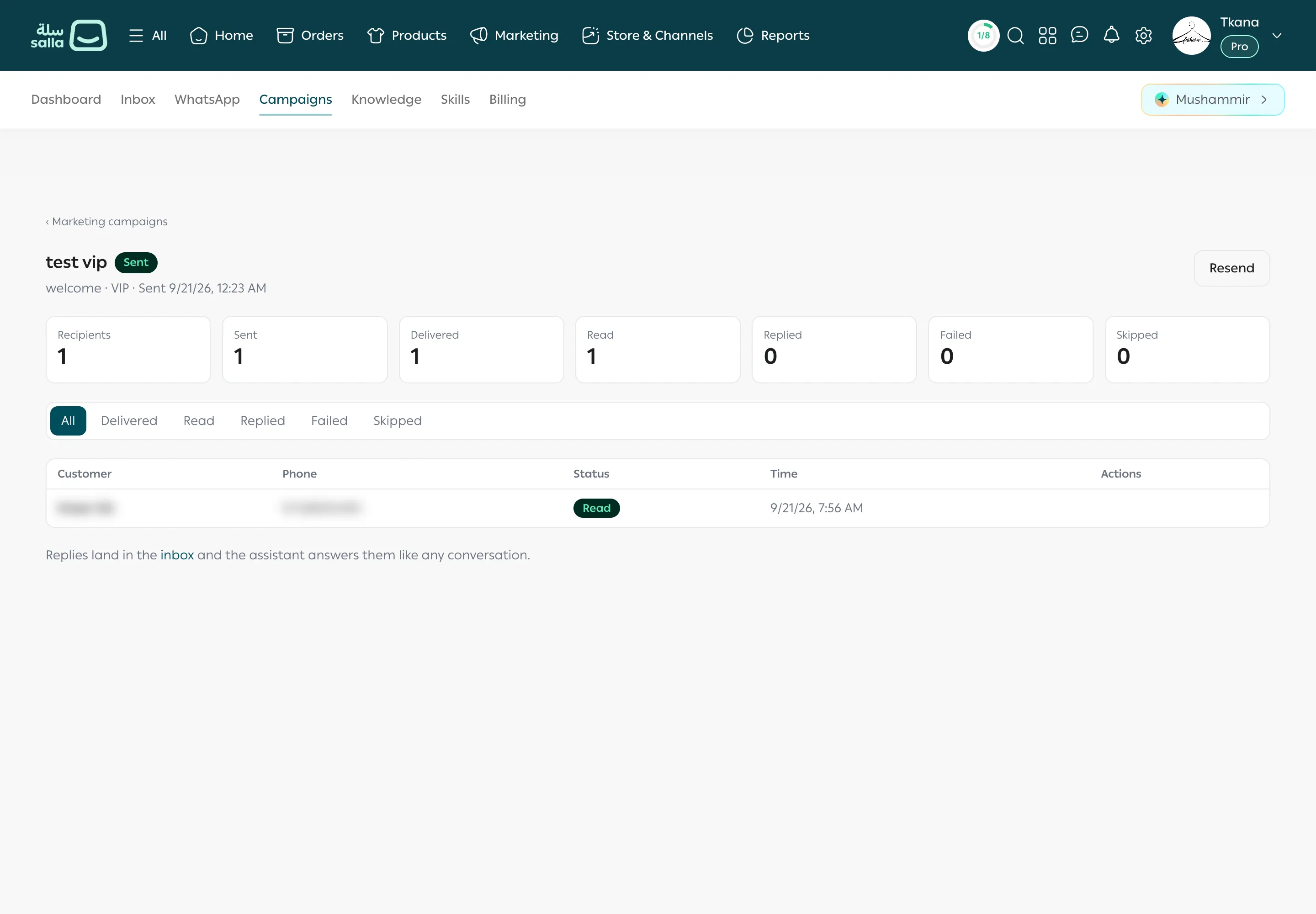
The counters
Section titled “The counters”| Counter | What it means |
|---|---|
| Recipients | How many customers the campaign targeted. |
| Sent | Messages that left your number. |
| Delivered | Messages that reached the customer’s phone. |
| Read | Messages the customer opened. Not counted if the customer turned off read receipts in WhatsApp. |
| Replied | Customers who replied to the campaign. |
| Failed | Messages that couldn’t be sent, such as to a number not on WhatsApp. |
| Skipped | Customers who didn’t get the campaign because they stopped marketing messages. |
Follow each recipient
Section titled “Follow each recipient”-
Choose a filter above the table: All, Delivered, Read, Replied, Failed, or Skipped.
-
The table shows each recipient’s Customer, Phone, Status, and Time.
-
To follow up with a customer who replied, click Open conversation in the Actions column. You go to their conversation in Inbox.
If there are many recipients, move between pages with Previous and Next under the table.
Replies to a campaign
Section titled “Replies to a campaign”Customers’ replies land in Inbox, and the assistant answers them like any conversation if AI replies is set to Active. A customer’s reply also opens the 24-hour window, so you can reply freely too. See Reply and take over from the assistant.
Resend a campaign
Section titled “Resend a campaign”-
Click Resend at the top of the campaign page.
-
Confirm. A new campaign is created with the same template, values, and audience, and (resend) is added to its name.
Was this article helpful?
Thanks for the feedback, it helps us improve these guides.