

Your first-day setup checklist
After installing tkana, follow these steps in order. They usually take less than an hour, and afterwards your assistant is ready to answer your customers.
-
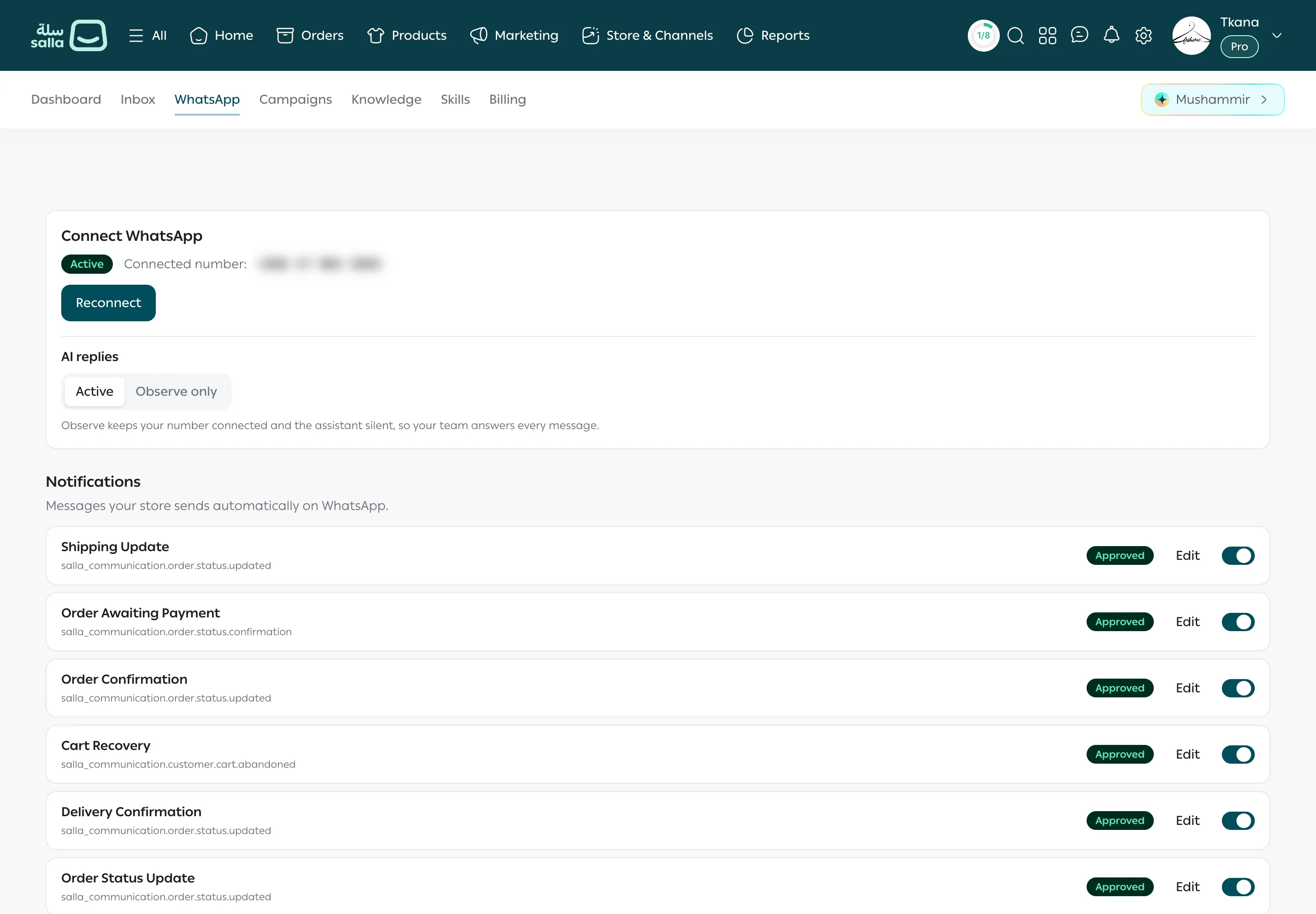
Connect your WhatsApp number. Open the WhatsApp tab, click Connect WhatsApp, and finish the Facebook signup. Without this step your assistant can’t message customers and notifications aren’t sent. See Connect your WhatsApp number.
-
Choose how the assistant replies. On the WhatsApp tab, under AI replies, choose Active so the assistant answers customers, or Observe only so it stays silent and your team replies. Start with Observe only if you want to review your setup first. See Choose how the assistant replies.
-
Review your store notifications. On the WhatsApp tab, scroll down to Notifications. Turn on the ones you want and review each message. See Store notifications on WhatsApp.
-
Teach your assistant about your store. Open Knowledge: review and correct Content, add FAQs such as delivery times and your return policy, and write the Instructions you want the assistant to follow. See What your assistant knows.
-
Turn on the skills that suit you. Open Skills, turn on for example cross-sell and up-sell, and review the escalation settings to decide when the assistant hands a conversation to your team. See Turn skills on and change their settings.
-
Try it yourself. From your phone, send a message to your store’s WhatsApp number and ask about a product or an order. Then open Inbox to see the conversation as your team sees it. See Open a conversation and see the customer’s orders.
After day one
Section titled “After day one”- Check Inbox every day and take over any conversation that needs your team.
- Add every repeated question the assistant didn’t answer well to FAQs.
- Review the Dashboard weekly to see why customers contact you. See Read your dashboard numbers.
- When you want to reach customers with an offer or a new collection, start from Get to know the Campaigns page.
Was this article helpful?
Thanks for the feedback, it helps us improve these guides.