

Send a campaign in three steps
A campaign is sent in three steps shown at the top of the page: Template, then Message, then Audience and send. Before you start, you need a connected WhatsApp number and at least one approved marketing template. See Get to know the Campaigns page.
Open the Campaigns tab and click New campaign to begin.
Step 1: Template
Section titled “Step 1: Template”-
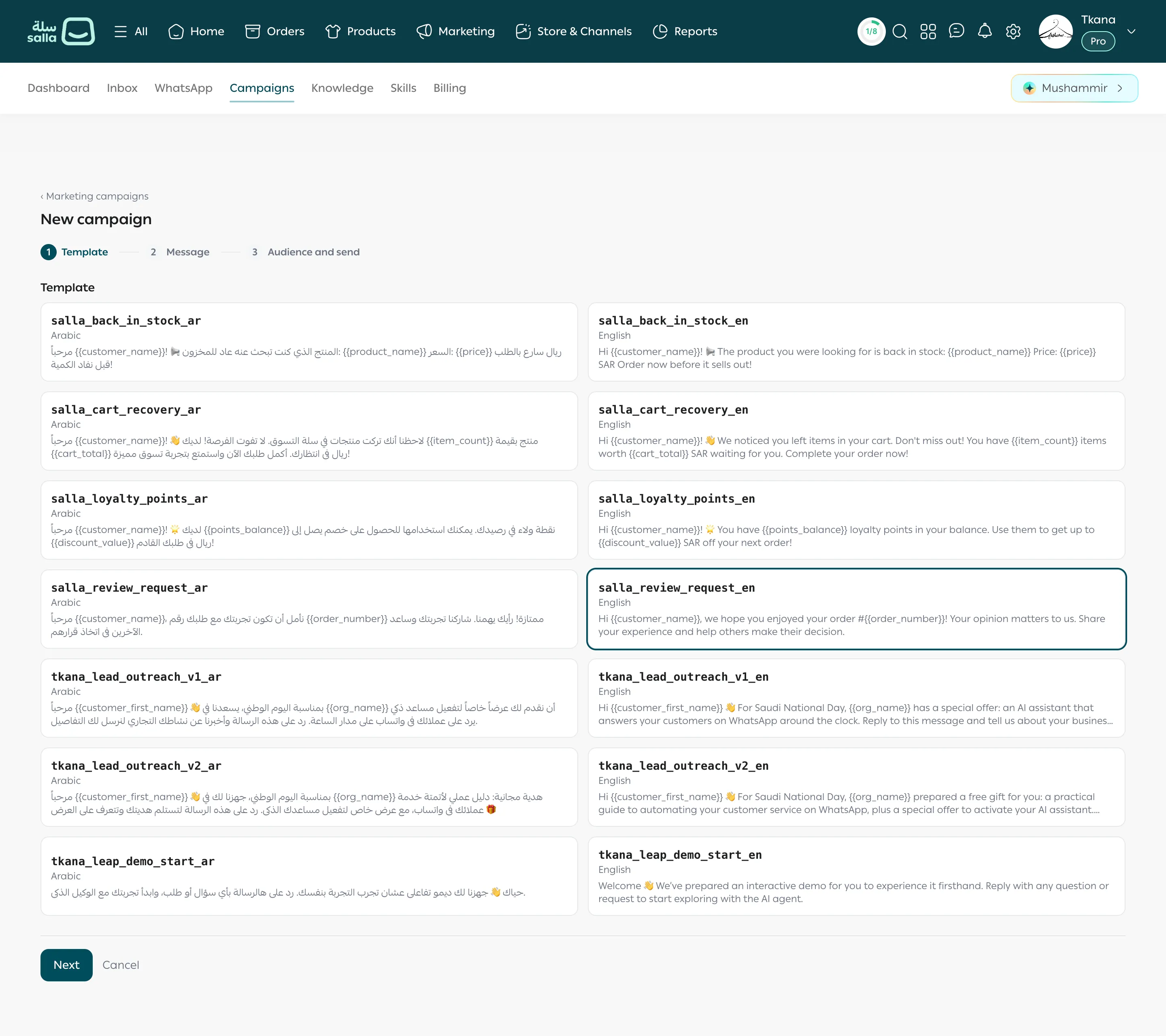
The page shows your approved templates as cards. Each card shows the template’s name, its language (Arabic or English), and the start of its text.
-
Click the card you want. A frame appears around it.
-
Click Next.
Step 2: Message
Section titled “Step 2: Message”-
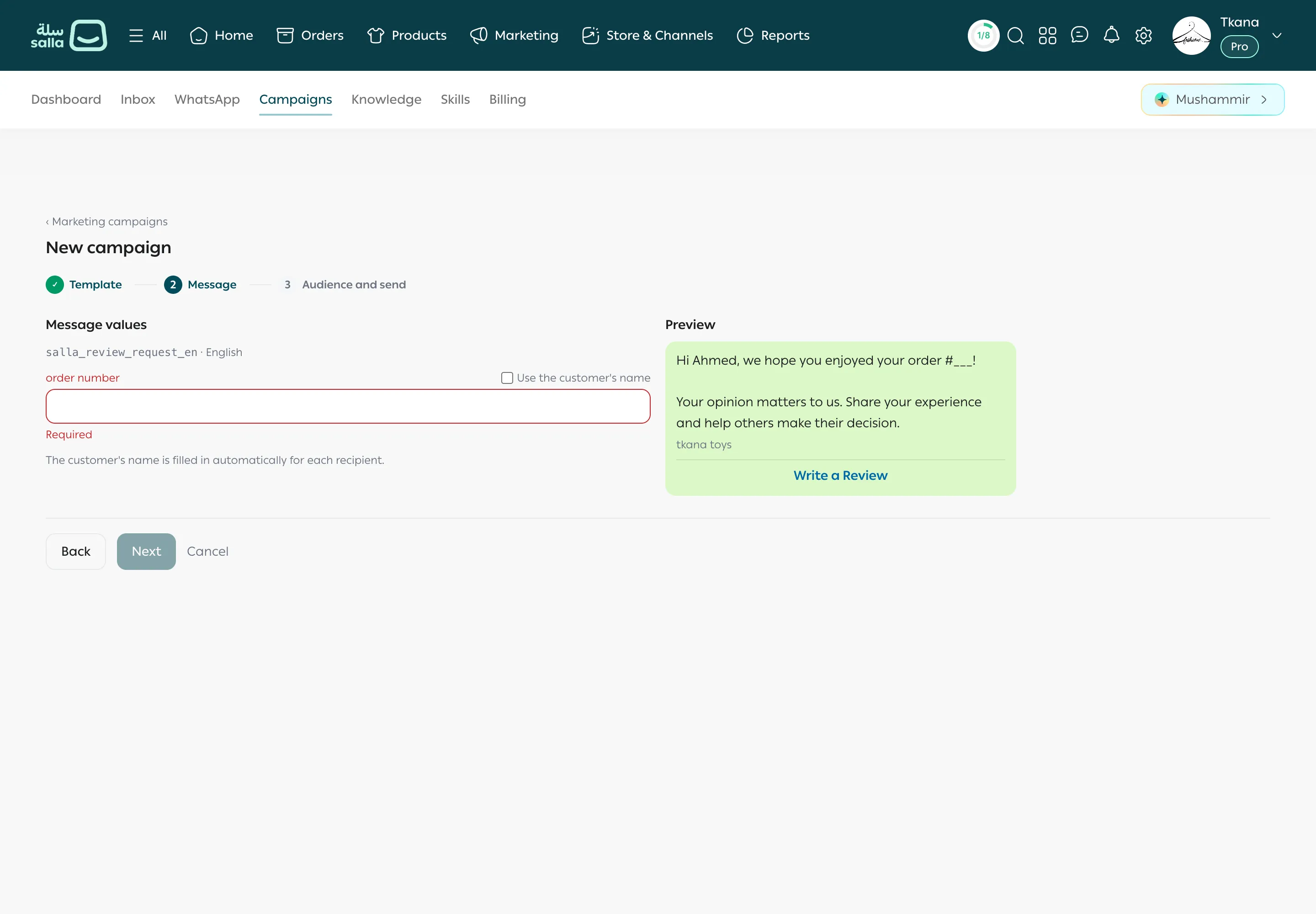
Under Message values, fill in a box for each variable in the template. The variable’s name appears above the box, such as an order number or a product name.
-
If the box is for the customer’s name, tick Use the customer’s name next to it. tkana fills in each customer’s name when sending, and the preview shows a sample name such as “Ahmed”.
-
Check the Preview on the other side, which shows the message as the customer sees it.
-
Click Next. The button stays disabled until every box is filled, and Required shows under any empty box.
Step 3: Audience and send
Section titled “Step 3: Audience and send”-
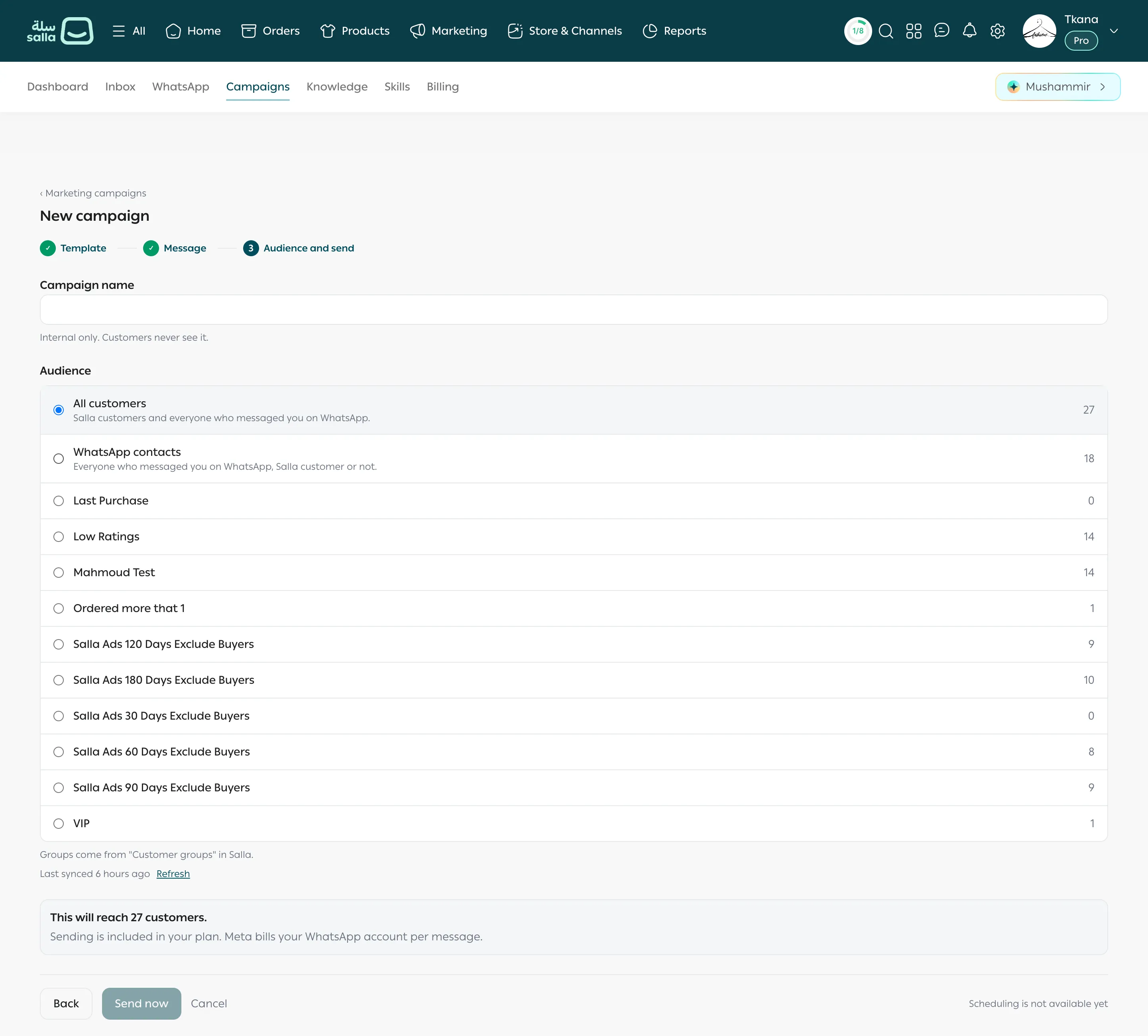
Campaign name: give it a name that helps you recognize it later. This name is internal only, customers never see it.
-
Audience: choose who receives the campaign. Each option shows how many customers it has:
- All customers: Salla customers and everyone who messaged you on WhatsApp.
- WhatsApp contacts: everyone who messaged you on WhatsApp, Salla customer or not.
- A Salla group: the groups you created in Customer groups in Salla, such as “VIP”.
-
Check the line This will reach … customers. It is the real number after leaving out people who stopped marketing messages.
-
Click Send now.
The campaign goes out right away and appears in the campaigns list as Sending, then Sent. See Read your campaign results.
Limits to know
Section titled “Limits to know”- No scheduling. Scheduling is not available yet, so the campaign goes out the moment you click Send now.
- People who stopped marketing messages on WhatsApp are left out automatically, and their number shows in this step.
- Cost: WhatsApp charges your WhatsApp Business account per message, through the payment method on your Meta account.
- To move between steps without losing what you typed, click Back. Cancel takes you back to the campaigns list without sending.
Was this article helpful?
Thanks for the feedback, it helps us improve these guides.